

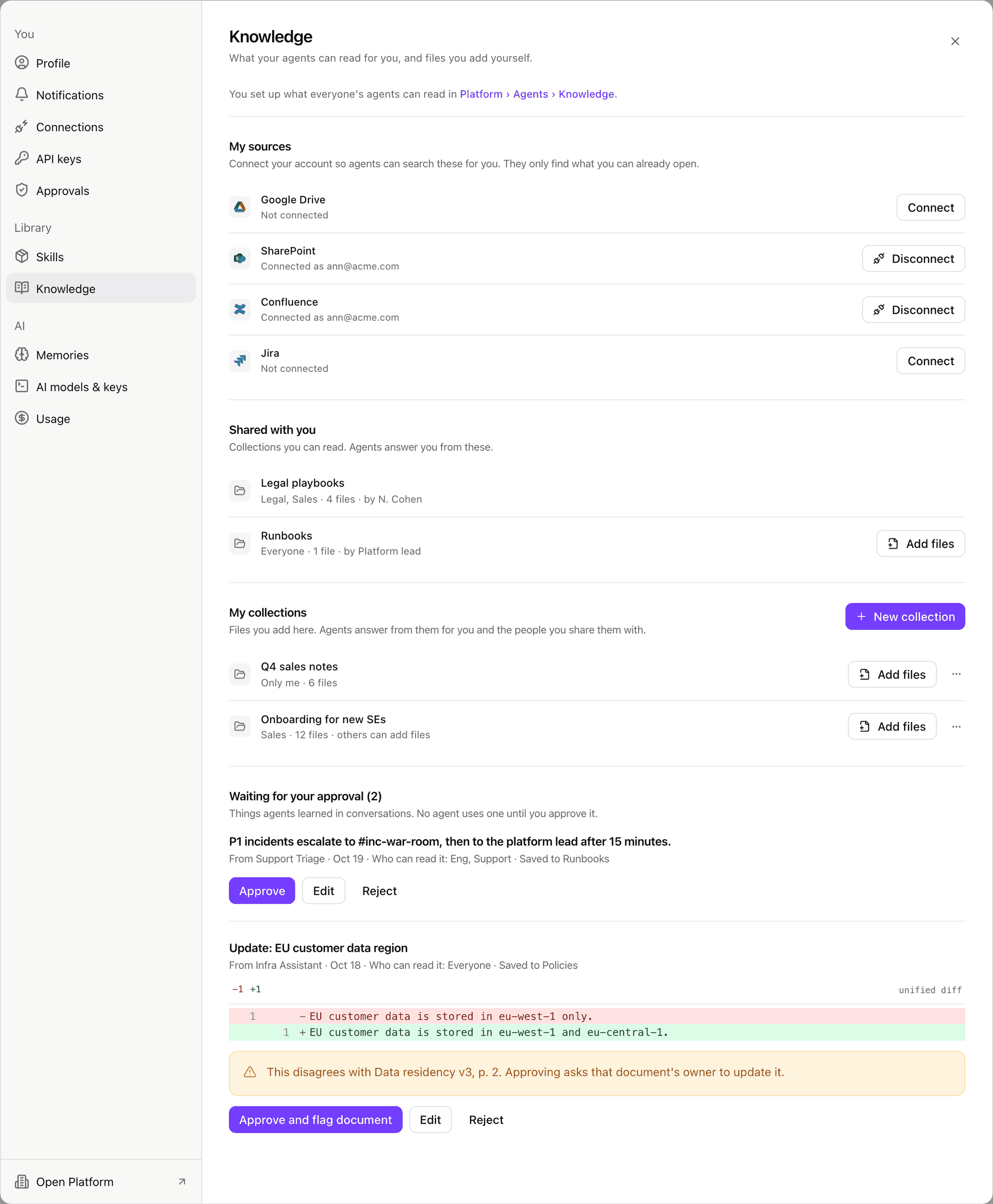
Settings > Knowledge: your own sign-ins, the collections shared with you, your own collections, and facts waiting for your approval. Shown with sample data.
My sources
The live sources your admins set up, such as SharePoint, Google Drive, Confluence, Jira and Notion. Agents read them with your own account, so they find only what you can open. A source you have not connected is skipped. Connect opens the provider’s sign-in, once per source. A row that says why it is not connected, such as Not connected or Sign-in refused, offers Connect. No Connect means the source is not fully set up: ask an admin. Disconnect stops the brain reading that source for you at once. Notion signs you in to Notion with your own account. The brain then searches Notion as you, so it finds exactly what you can open in Notion and nothing else; there are no pages to pick or share. Disconnect also signs you out of Notion for xpander. You can also connect from a conversation: an answer that skipped a source offers Connect with its name, and your next question reads it as you.Shared with you
Every collection you can read, other than your own. Agents answer you only from files you may open. When the owner lets readers add files, the row offers Add files. New files are ready to answer from in a minute or two.My collections
Collections you own, for notes, playbooks or team files. Available when an admin turns on Members can create their own collections.- Select New collection, then fill Name and What it holds.
- Under Who can read it, pick people and groups. A new collection is yours alone until you share it. Everyone in the organization appears only when your admin allows it.
- Turn on Let others who can read it add files if your team should add to it.
- Select Create collection, then upload files, paste text, or import a public web page.