

Devices
Devices lists every computer signed in to Omni Desktop, with its system (macOS, Windows or Linux), member, app version and whether it is Online now. Revoke disconnects a computer at once. Its owner is signed out, agents lose access to its folders, and the app shows Mac removed. Nothing on the computer is deleted. Signing in again adds it as a new computer. A member who leaves the organization has all their computers revoked. One member can have up to 20 computers connected at a time.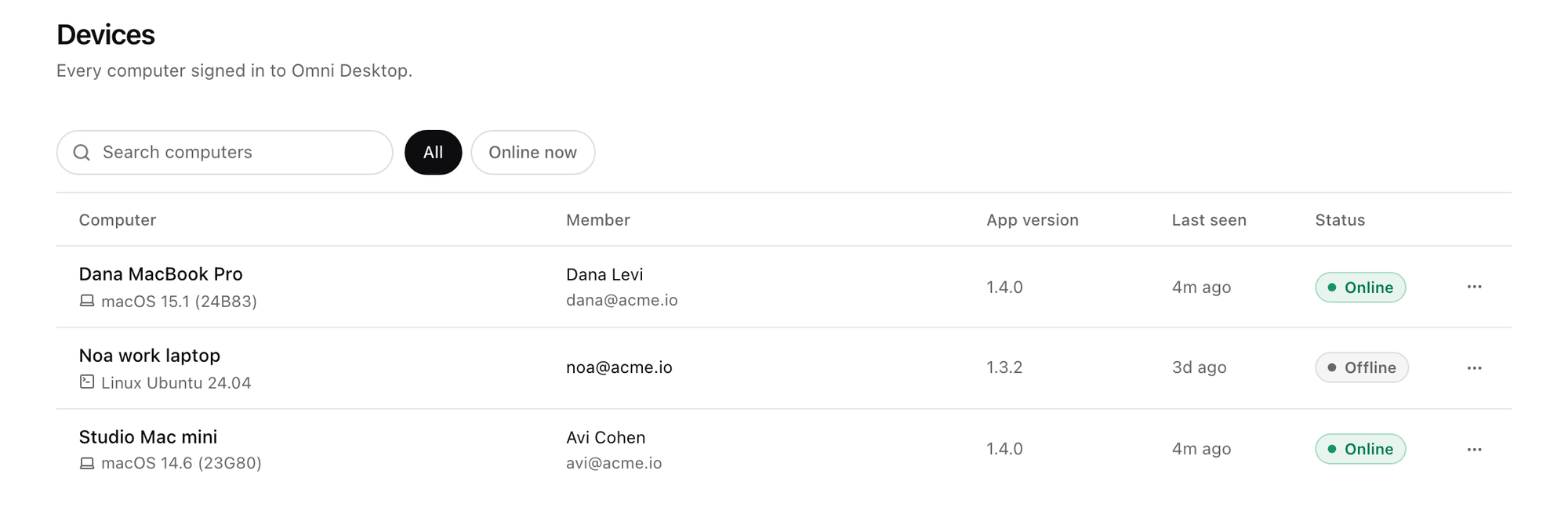
Platform > Agents > Devices. Shown with sample data.
Desktop policy
Desktop policy sets the most Omni Desktop may do. The Every member row is the organization default and opens a panel with every setting below. A new organization starts with everything on, so turn off what you want to keep closed.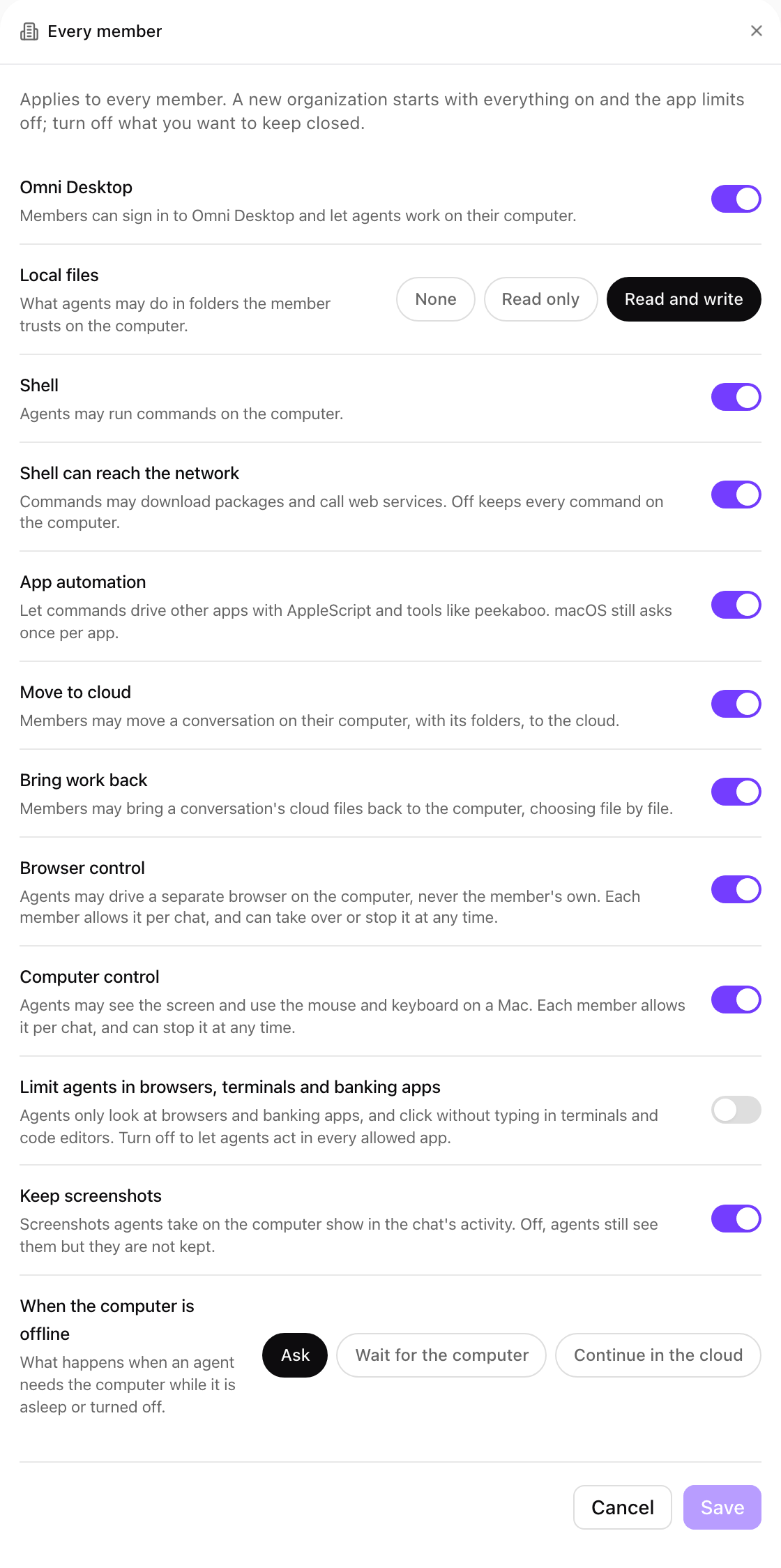
Every member: the organization default for a new organization. Shown with sample data.
Group overrides
Group overrides give a group’s members more than the default. Choose Add group override, pick the group, set its values and Save. Anything the default already turns on shows as on and locked. A member in several groups gets the most any of their groups allows. When their groups pick different offline behaviors, the app asks. Remove override returns the group to the default.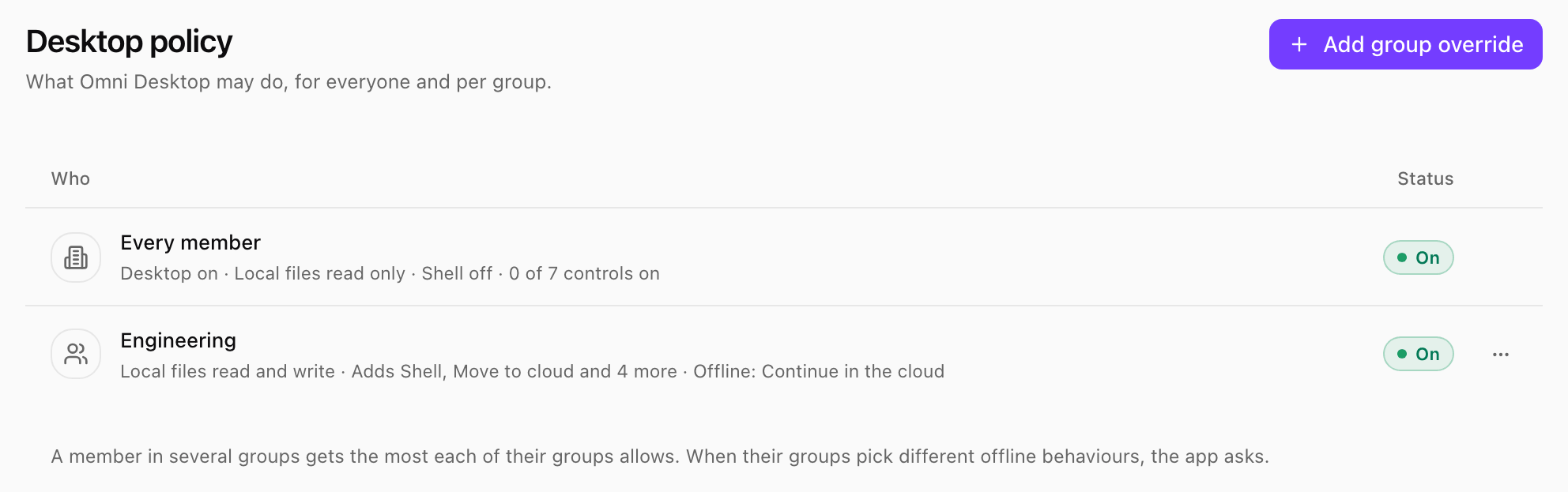
Platform > Agents > Desktop policy: the organization default and a group override. Shown with sample data.
What is recorded
The audit log records:- Every sign-in to the app.
- Every file or shell action an agent takes: the action, path, outcome and duration, never file content.
- Every screen action: where it landed, never what was typed or seen.
- Every site the Omni browser opened (the site only).
- Every move to the cloud or back, and every schedule linked to or unlinked from a computer.