

When a run waits
The agent stops at the action and posts a card in the conversation. The card names the action, says in a sentence what the agent wants to do and what it will touch, and who started the run. Two buttons: Decline and Approve.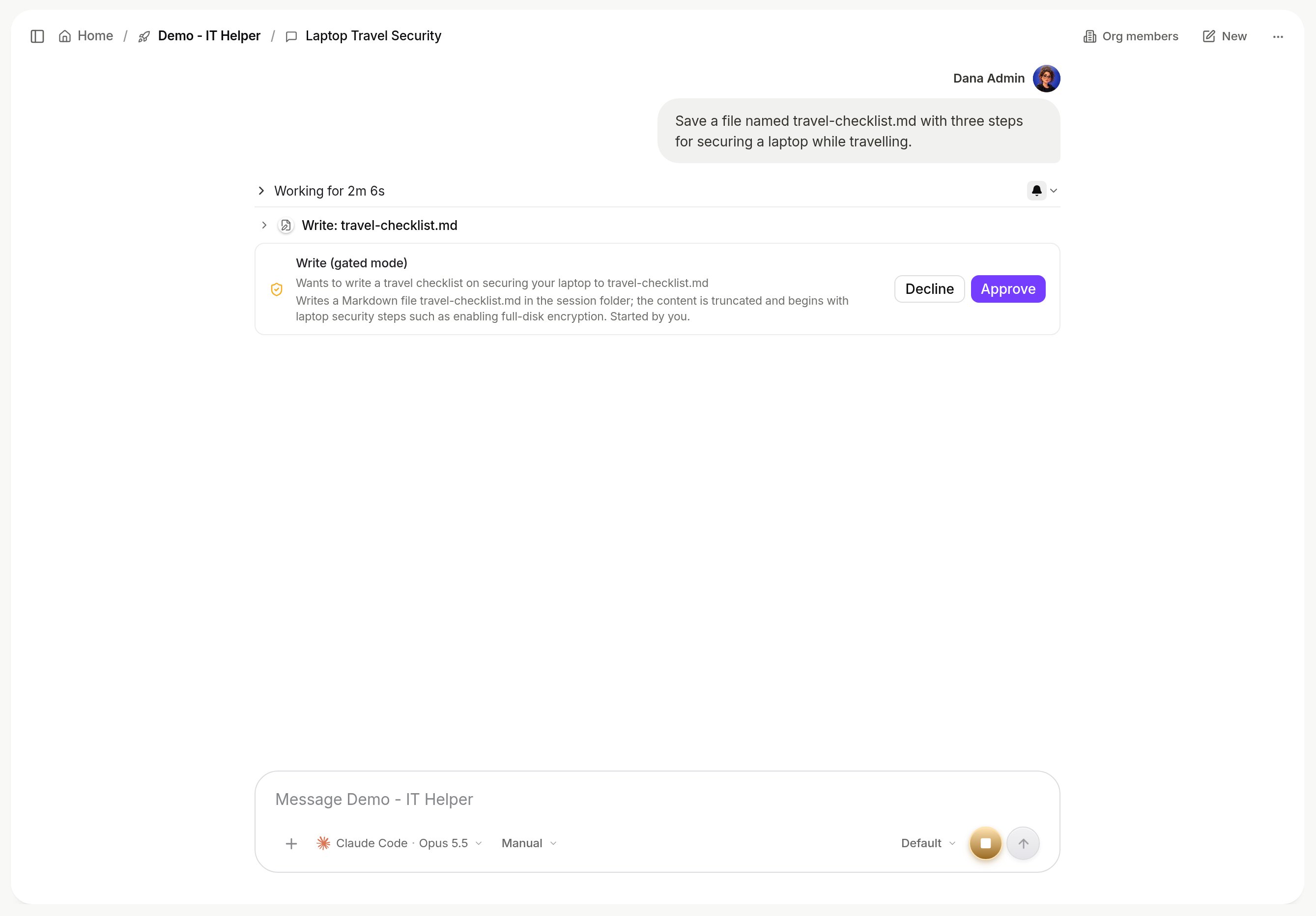
An approval card in a conversation. The agent wants to write a file; the run waits until an approver clicks Approve. Shown with sample data.
Where to find everything that is waiting
Settings > Approvals lists every action waiting for you across all agents, with the same Approve and Decline buttons. Approvals also arrive as notifications, and a person who is not signed in can be sent a link that opens one approval and nothing else.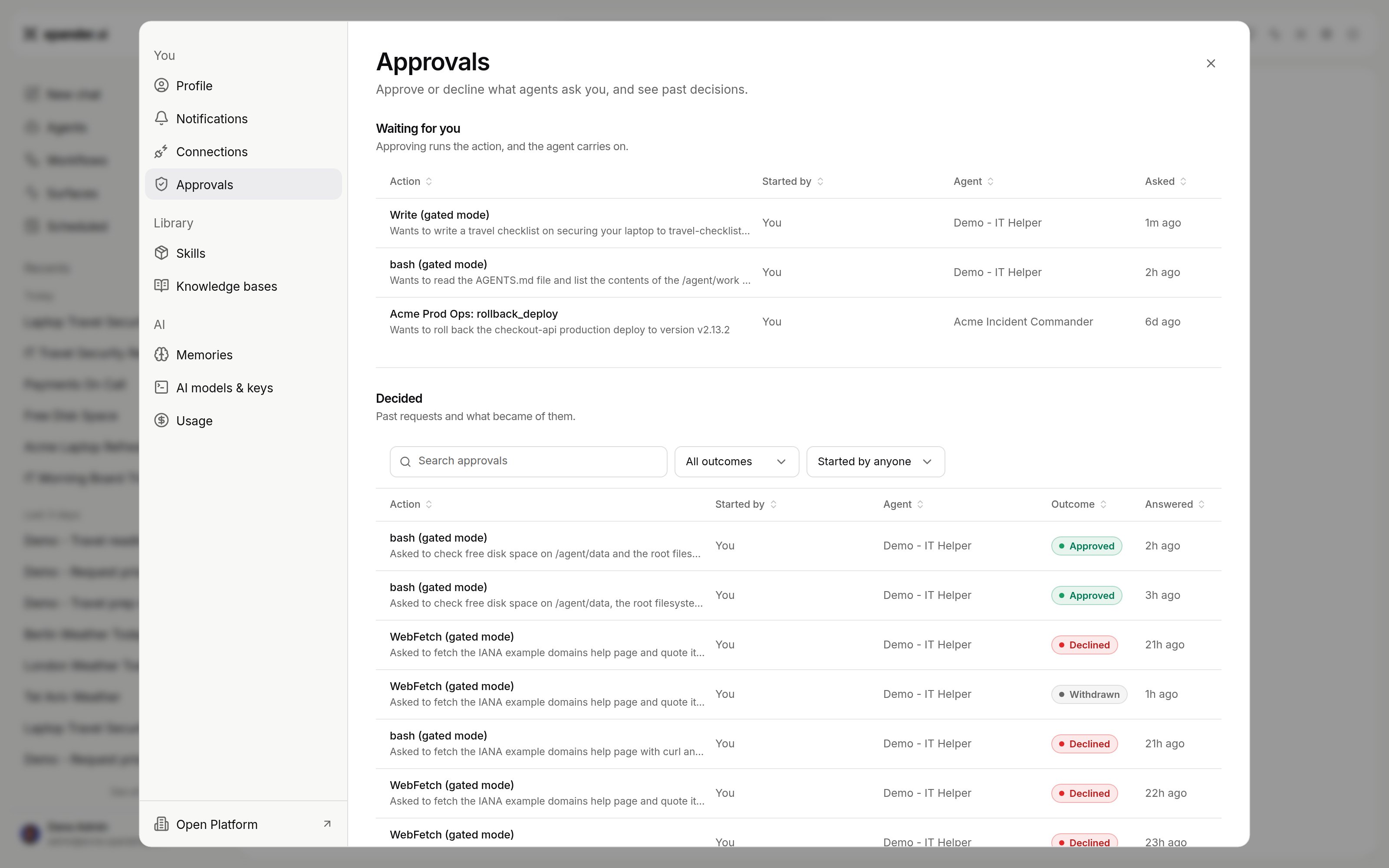
Settings > Approvals: Waiting for you and Decided. Shown with sample data.
How long a run waits
An agent running on Claude Code, Codex or OpenCode holds a waiting action for a set number of hours, four by default. The hold length is an agent setting,approval_hold_hours on the API, from one to seventy-two hours. If nobody decides within that window, the held action does not run and the run continues with the rest of the task. A gated command’s approval request stays pending even after the window, so a later decision can still approve it; a marked skill action expires with “Not answered in time.”
Over the API
GET /v1/tasks/{task_id}/approvals lists what the task waits on. POST /v1/tasks/{task_id}/approvals/{request_id} decides one item as the person the API key belongs to. The key must cover the task’s agent.
request_id, tool_name, tool_label, gate_reason, created_at and expires_at. To decide it, send decision (approve or decline) and an optional reason.
Answering an MCP server’s question
An MCP server can ask a question in the middle of a tool call. The item then hasgate_reason and kind set to elicitation. It also has message (the question) and requested_schema (the fields the answer needs). expires_at is the last moment the agent waits for the answer.
Send the answer in content, shaped by requested_schema:
decline sends no answer, and the server is told the person declined. The MCP server can stop waiting before expires_at with its own request timeout. For example, the MCP TypeScript SDK stops after 60 seconds by default.
What gets held
Three things can put an action on hold:- A skill that needs approval. When someone adds a skill to an agent, the skill panel shows “These actions need approval” with the actions and who approves. Anyone with edit rights on the agent can change it there.
- Gated commands. For agents on Claude Code, Codex or OpenCode, a list of text patterns. A shell command that contains one of them waits for approval. Found under Advanced > Commands on the Agent settings card.
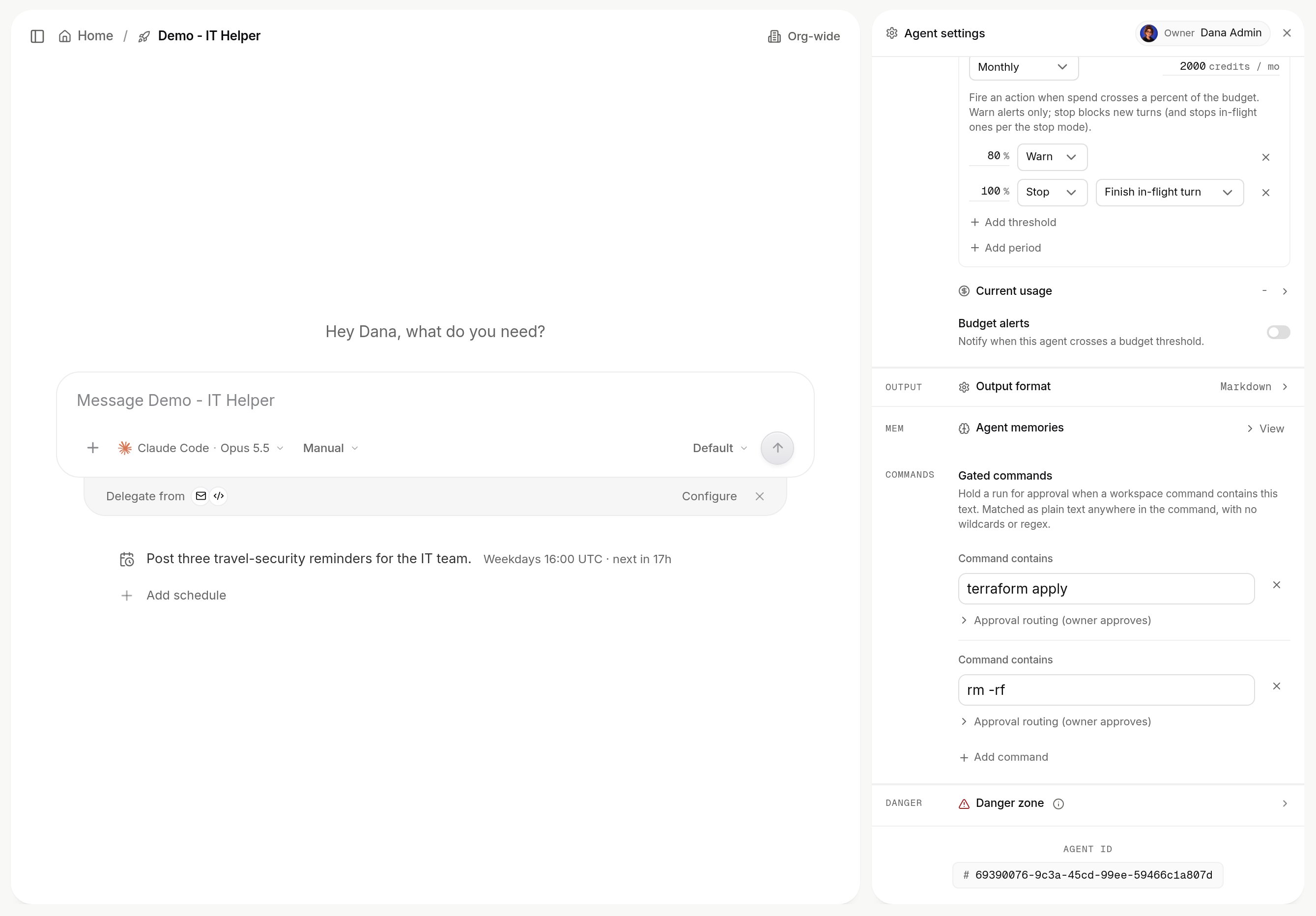
The Gated commands editor. A command that contains one of these strings waits for approval. Shown with sample data.
- The permission mode of a run. Under Approvals, the composer offers Automatically approve and Manually approve for an agent on Claude Code, Codex or OpenCode. Manually approve holds every shell command and file change, and on Claude Code and OpenCode every web fetch and search. Automatically approve runs them. Gated commands wait in both modes.
Who may approve
The skill panel names the approvers for each held action. An agent can be set to approve its own runs for a given action (“SELF APPROVE”), which is how a fully unattended agent is allowed to proceed on actions your organization has decided are safe. Every decision, including a self-approval, is in the record with the name of who made it.Next
- Permissions and access: the full settings behind this page.
- Skills: marking a skill’s actions as needing approval.