

What a run costs
On xpander’s cloud, usage is paid in credits; one credit is one cent. A turn costs one credit when the agent wakes, one credit per skill call, and the model’s tokens at the provider’s public price plus a quarter, per model. Calls on a key you brought, whether an agent-level credential or the organization’s key under Platform > AI governance > Models, are measured the same way but not charged. Every new organization starts with a grant of credits; the balance is the chip in the top bar, and a task’s cost grows on its card as it runs. A turn in flight always finishes, even below zero; the next one is refused until an admin tops up, and members see the balance but cannot buy. On a self-hosted installation usage is measured and shown identically and never charged.Budgets
A budget is a cap in credits with thresholds. Each threshold is a percentage with an action, warn or stop; with Budget alerts on, a notification fires once per threshold per period.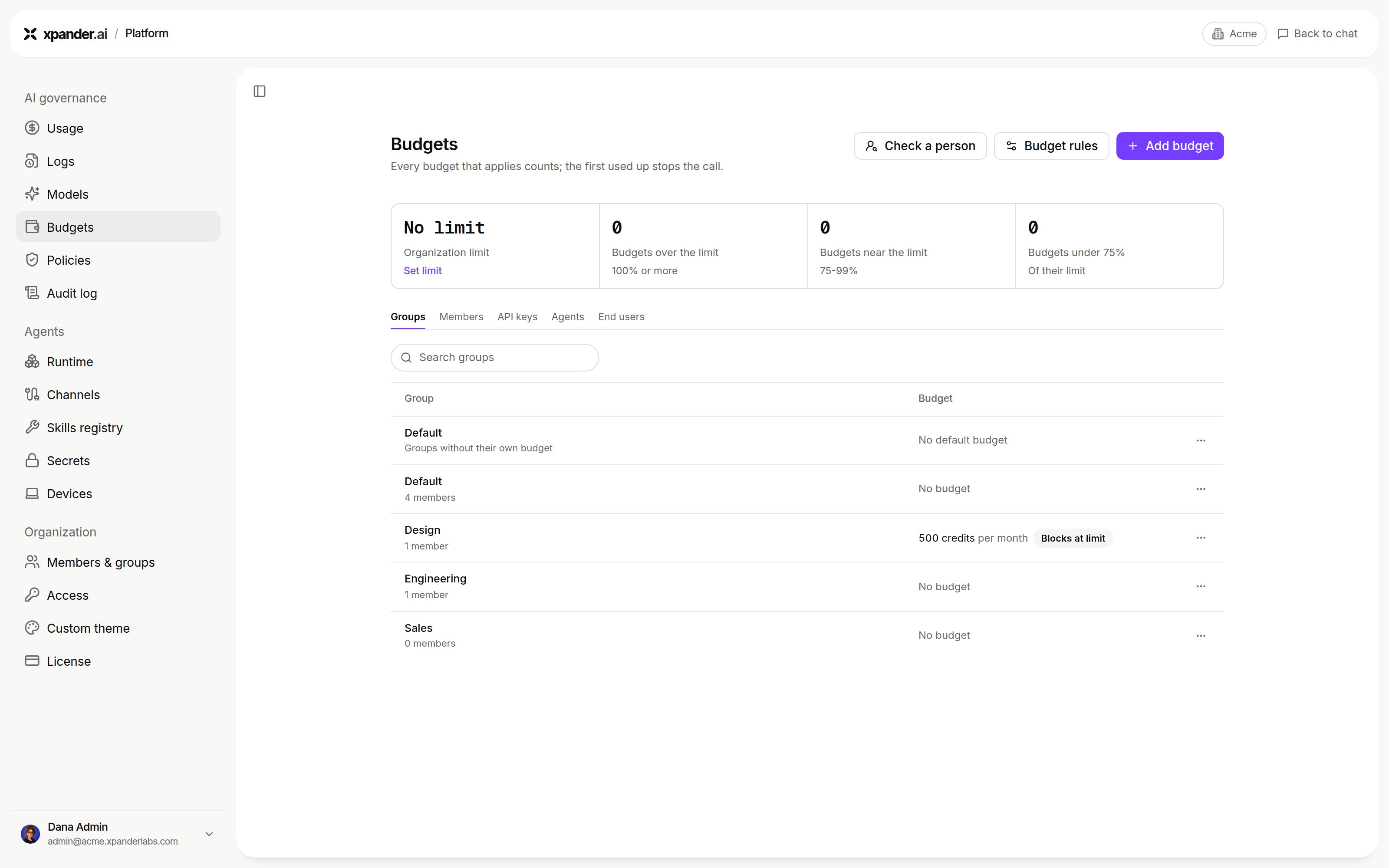
Platform > AI governance > Budgets: overview and spending limits by scope. Shown with sample data.
A turn’s spend counts toward the agent’s budgets, and toward the person’s. When a stop threshold is reached, the stop mode decides. Finish in-flight turn, the default, lets the running turn complete and refuses new ones. The other stop mode ends the running turn at its next model call, which ends as
stopped with “Execution stopped: budget exceeded.” A refused run says which budget it hit and to raise it or wait for the next period. Raising an agent budget lifts its block at once. A turn budget cannot be raised after the fact.
Budgets count charged model spend. On an installation where every model call runs on a key or identity you brought, usage is measured as a nominal amount but nothing is charged, so a budget reports and never stops a run. A one-credit turn budget with enforcement on did not stop turns on an install’s own Bedrock identity. Use gated commands and approval rules for control there.
Agent, turn and member budgets act only while Enforce agent, turn and member budgets (Platform > AI governance > Budgets, under Budgets set in agent settings) is on. Off, spend still accrues, usage is still shown and alerts still fire, but nothing blocks a run; an agent’s budget editor shows a banner while that is the case. Maximum agent budget in the same section caps how high anyone may set an agent or turn budget. Budgets for the organization, groups, API keys and agents are covered on Budgets. Budgets are a cost guardrail, not a security boundary: an infrastructure fault lets a run proceed rather than blocking every agent. Agent creators set budgets on their agents; admins set them anywhere.
Usage
Settings > Usage shows what your own calls and the agent runs you started cost, with your spending limit when one applies. Admins see the organization’s spend in Platform > AI governance > Usage, in credits or dollars (Credits / $), grouped by person, agent, model and more, with calls tied to no person shown as Not tied to a person (Usage and logs). system:llm-gateway-watchdog is xpander’s own health check of your custom model endpoints, a small request every 2 minutes. It costs 0 credits and counts toward no budget. A task’s own panel shows its tokens (input, output, cache read and cache write), cost and model.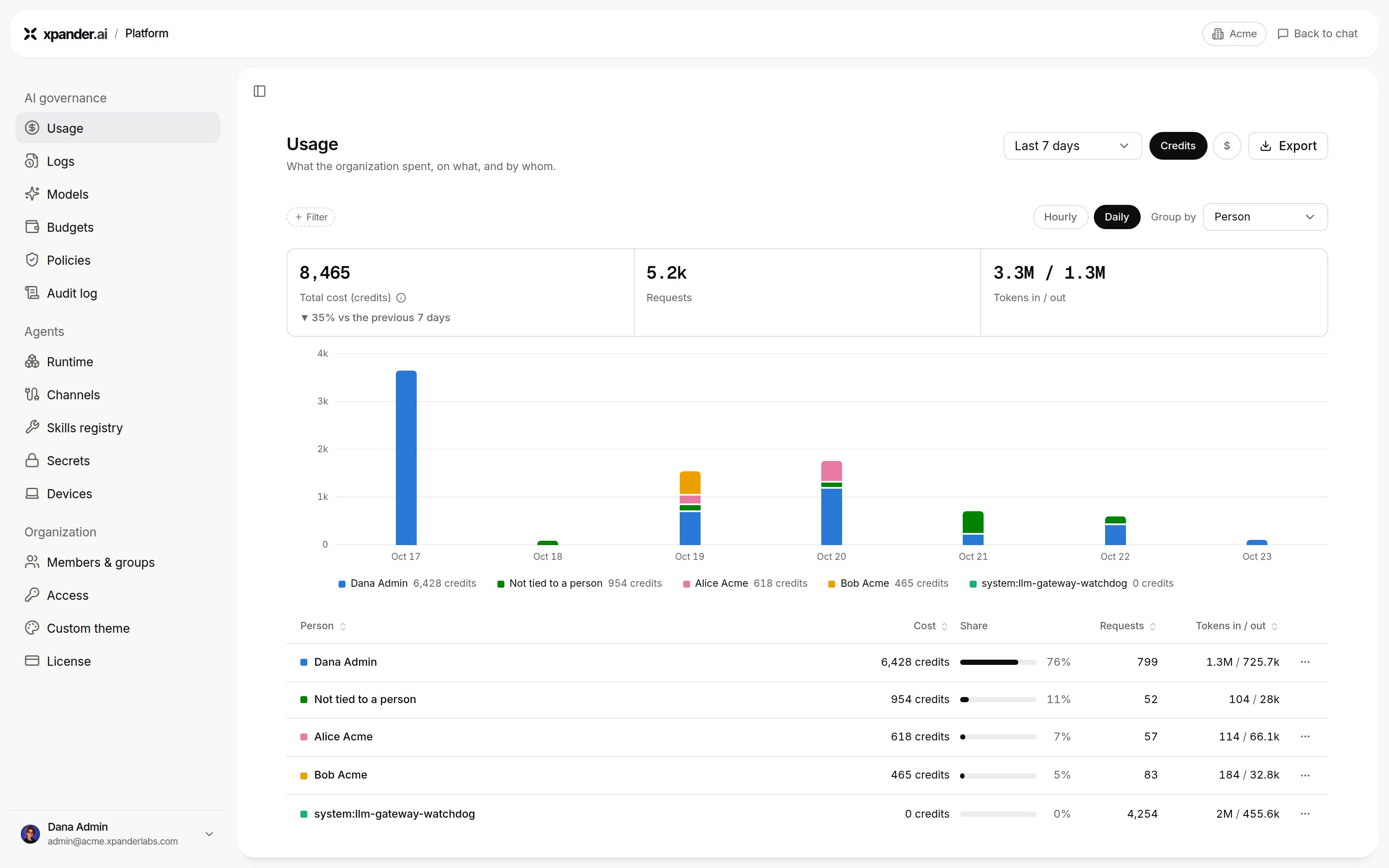
Platform > AI governance > Usage in credits, grouped by person. Shown with sample data.
GET /v1/tasks/{task_id}/llm_usage returns the token-level record of one task: tokens (the total), input, output, cache_write, is_byok, cost and ai_model. On a key you brought, is_byok is true and cost is 0.0 while the tokens are still counted. The record is written a few seconds after the turn ends; a call made within seconds of the reply can read zeros.
Notifications
Budget alerts on the agent notify you when it crosses a threshold. Beyond that, an agent’snotification_settings on the API name where the outcome of a run goes: on_success, on_error (a task that failed or was stopped) and on_budget. Each can go to email, Slack or a webhook, with the amount reached and the cap. The setting has no screen of its own yet; set it with PATCH /v1/agents/{agent_id}. Approval requests reach their named approvers separately, in Xpander Chat, by email, in Slack, Telegram or WhatsApp.