

Reading a task
A task keeps every action in order. For each skill call: what went in, what came back, how long it took, whether it failed, which credential it used and in which mode, and the approval it waited for, if any. For the run: the model and provider that served it, tokens and cost, the number of attempts, the plan updates, and the final result. Open a task from the conversation, the Session Manager orGET /v1/tasks/{task_id}; /thread/full includes its sub-tasks.
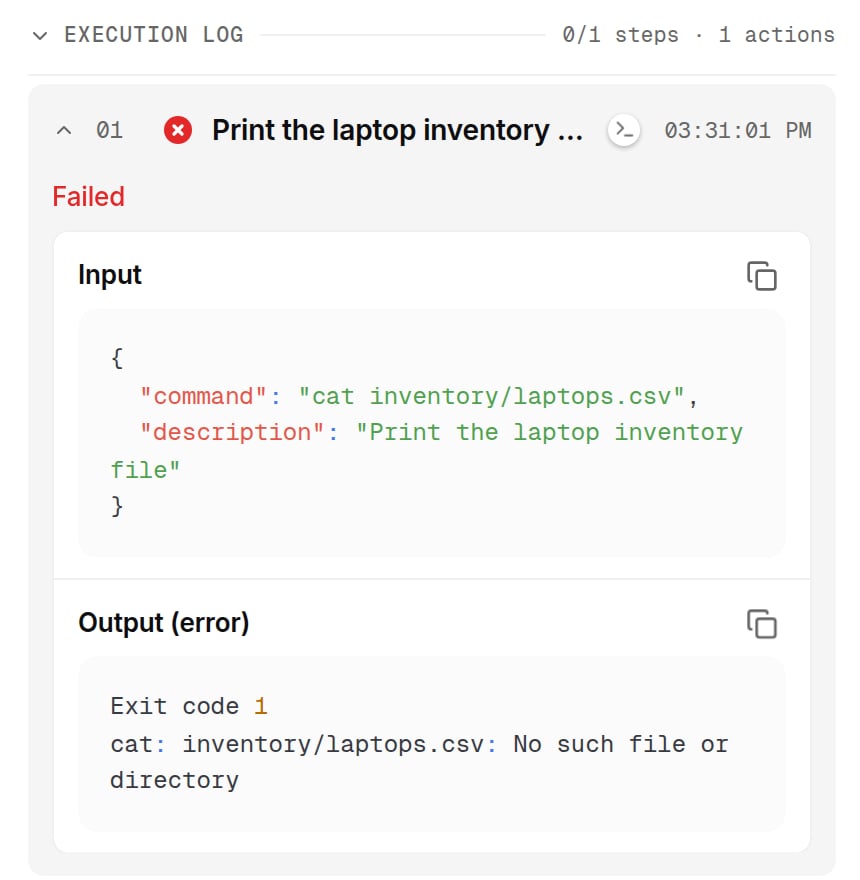
The execution log of a turn: each action with its status, time, the input it sent and the output it got back. Shown with sample data.
- A skill failed. The action is marked failed; its row shows a readable line, and the raw error text from the system is kept with it. Repeated identical failures stop the run from calling that action again in the same task.
- The model failed. The task ends with status
errorand the provider’s error as its result, named with the model and endpoint. A transient provider fault is retried before any output is produced; a call that fails because of an attachment is retried once without it, and the answer says so. - An xpander limit stopped it. The conversation shows Budget limit reached, Out of credits, Quota reached or Account blocked instead of the raw detail.
- The prompt is the problem. Nothing diagnoses that for you. Read the turn’s reasoning entries and the parameters the agent chose for each call; then fix the instructions or the expected output, and ask Omni, the built-in agent, to review the failed tasks of an agent and propose changes.
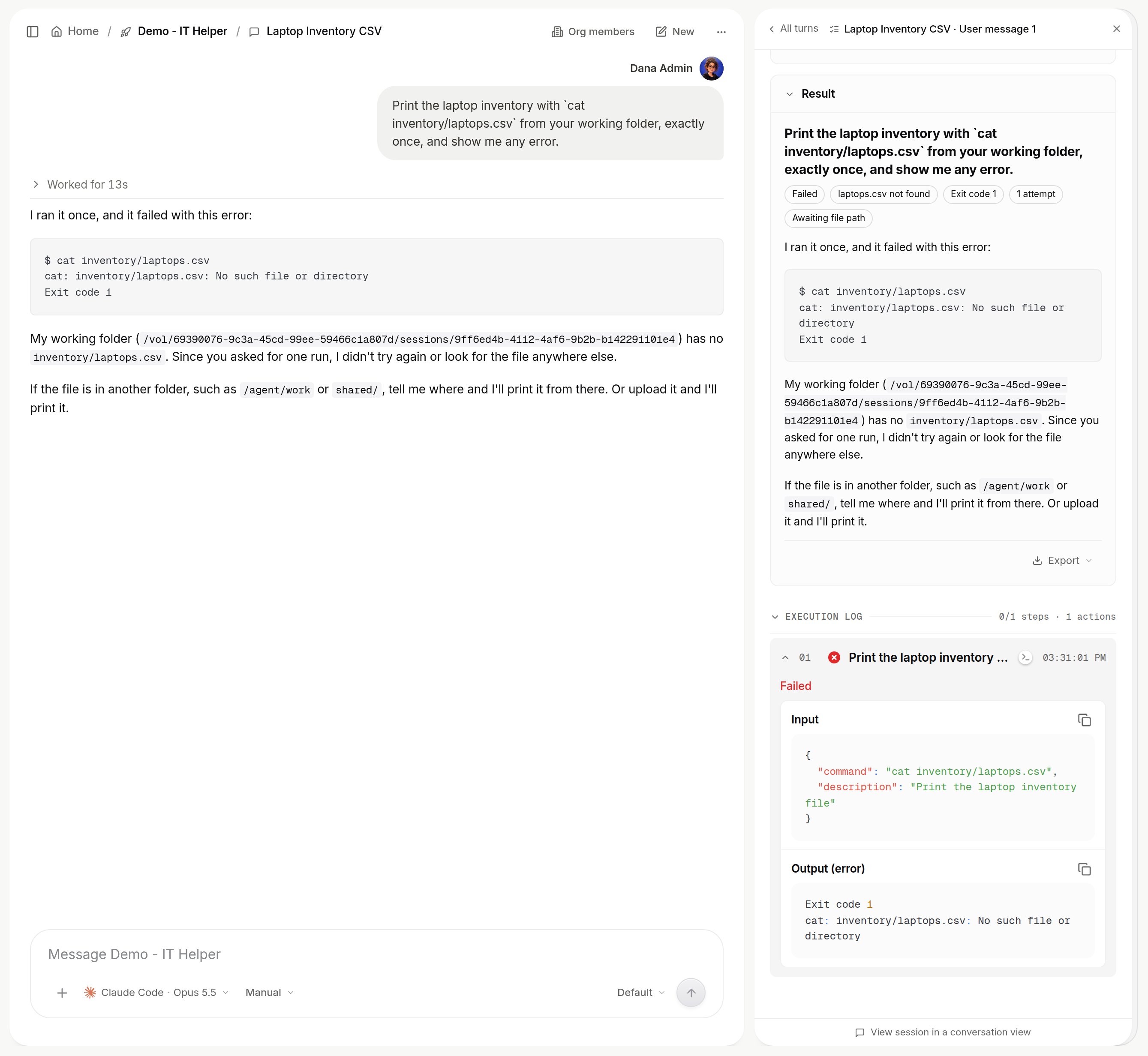
A failed action: the conversation explains it, and the turn details in the Session Manager keep the raw error. Shown with sample data.
The audit log
Every governed action across the organization, agent changes, skill connections, credential use and sign-ins among them, is recorded as it happens. Platform > AI governance > Audit log (admins) lists these organization-level events with the person who did them. Filter by event type, by user and by free text, expand a row to its raw record, and export the current filter as CSV or JSON. To send every event to your own bucket or OpenTelemetry collector as it happens, set up Log destinations.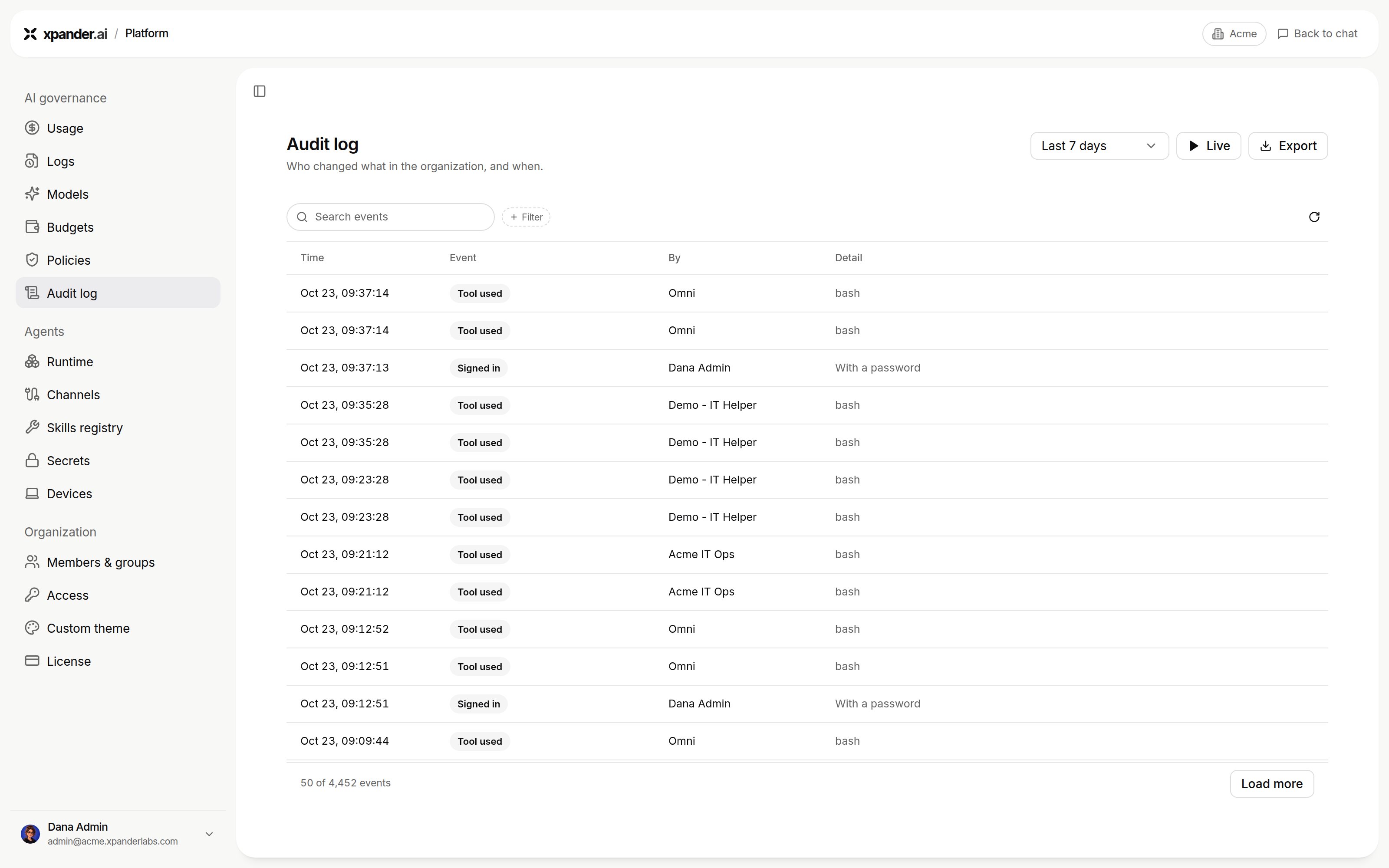
Platform > AI governance > Audit log. Shown with sample data.
Approval requests and decisions are recorded on the task they belong to rather than in this log.
Use Secret, Read Secret, blocked uses and workspace actions are kept for 90 days; every other event for 400 days. On a self-hosted installation the raw command of a workspace action is not stored, only the action and its outcome.
What it answers today. Which agent used which system, when, doing what, on whose behalf: filter on Use Secret and search the system’s name, or open a secret in the Vault and read its activity. Which agents a person created and touched: filter by that user. There is no per-system or per-person dashboard yet; the log and its export are the surface.