

The laptop status
The sidebar shows whether this Mac, named there, is connected to your xpander:
The laptop status in the sidebar. Shown with sample data.
The laptop strip
The strip under the composer shows what the next message can use on this computer:- On this Mac: agents can use your trusted folders. When the computer is offline, the strip says so and agents work in the cloud only.
- Folders: the trusted folders (Trust a folder while none is). Click to switch each between Read and Read & write, choose the folder for new files, remove or add one.
- Shell on: agents can run commands here. Shell unavailable means they cannot, for example on Windows today.
- Move to cloud and Bring back: see Move to the cloud and back.
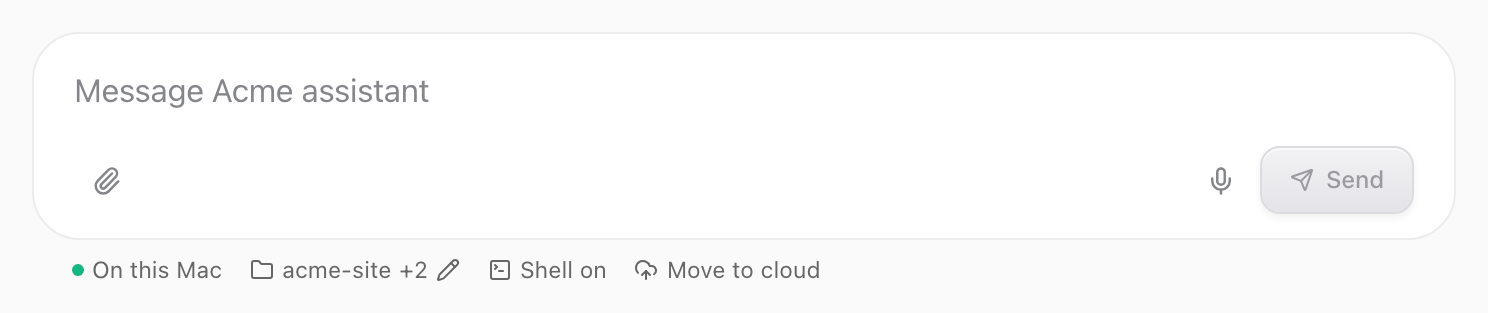
The laptop strip under the composer. Shown with sample data.
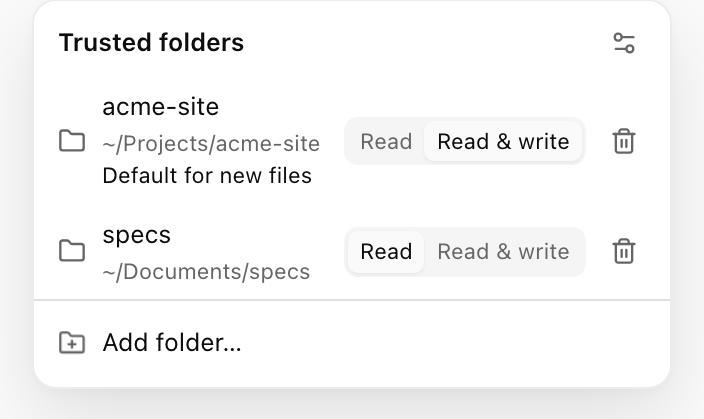
The folders popover, from the strip. Shown with sample data.
Menu bar and quick prompt
The menu bar icon shows your account and connection, what waits for you, your trusted folders, New chat, Settings, Open at login, Sign out and Quit, plus Stop browser control while an agent drives the Omni browser. A dot on the icon means something waits for you, such as an approval or a question. Cmd+Shift+Space opens the quick prompt anywhere on your Mac. Press Return to open the message as a new conversation in the main window. Change or turn off the shortcut in Settings.Open in Desktop and Open in browser
- Web to app: Open in Desktop in a conversation’s or an agent’s menu opens the same page in the app. Without the app, the web offers Get Omni Desktop.
- App to web: Open in browser in the title bar.
Source filter
Conversations started from the app carry the This Mac source, so you can filter the conversation list or the Task manager by it.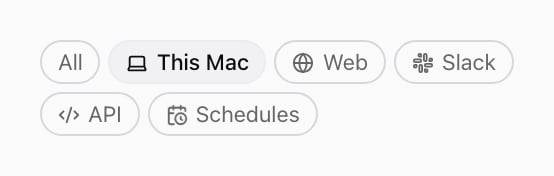
The This Mac source chip. Shown with sample data.