

Allow it for a chat
The first time in a conversation, the app asks Allow browser control? and names the starting site: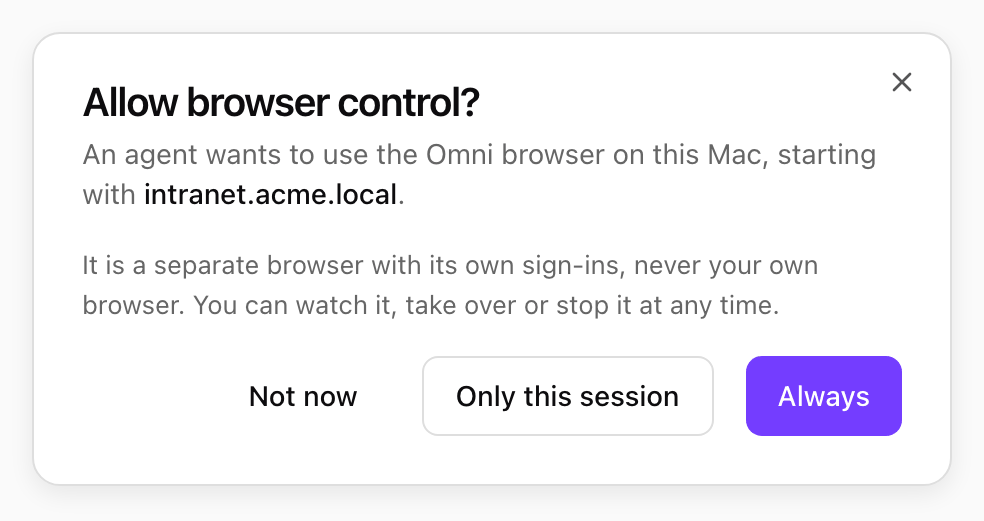
An agent asking to use the Omni browser. Shown with sample data.
Watch, take over or stop
While the agent drives, the Omni browser shows Agent is controlling this browser, and a strip under the app’s title bar reads Agent is controlling the Omni browser.- Take over pauses the agent and gives you the browser, for example to sign in or solve a check. The agent waits for Hand back.
- Stop closes the browser and ends browsing in this conversation. After Only this session, the agent must ask again.

The banner at the top of the Omni browser window. Shown with sample data.

The strip under the app's title bar. Shown with sample data.
What the browser does for you, and what it leaves to you
- Cookie and newsletter pop-ups are closed with the choice that shares the least (reject, or close). It never accepts.
- Sign-in, payment, CAPTCHA, age and permission prompts are left for you. The agent asks you to take over.
- Downloads are cancelled. Files reach your computer only through your trusted folders.
- Camera, microphone, location and notification requests are refused.
- Password fields are never read.