

Move a conversation to the cloud
- Choose Move to cloud in the laptop strip under the composer.
- Pick the folders the agent needs: up to five, each up to 2 GB. The app uploads a copy of each.
- Choose Move to cloud.
node_modules, .venv, __pycache__) and anything private, such as keys and credentials, which never leave your Mac. The next messages run in the cloud, on the copies. The folders on your Mac do not change.
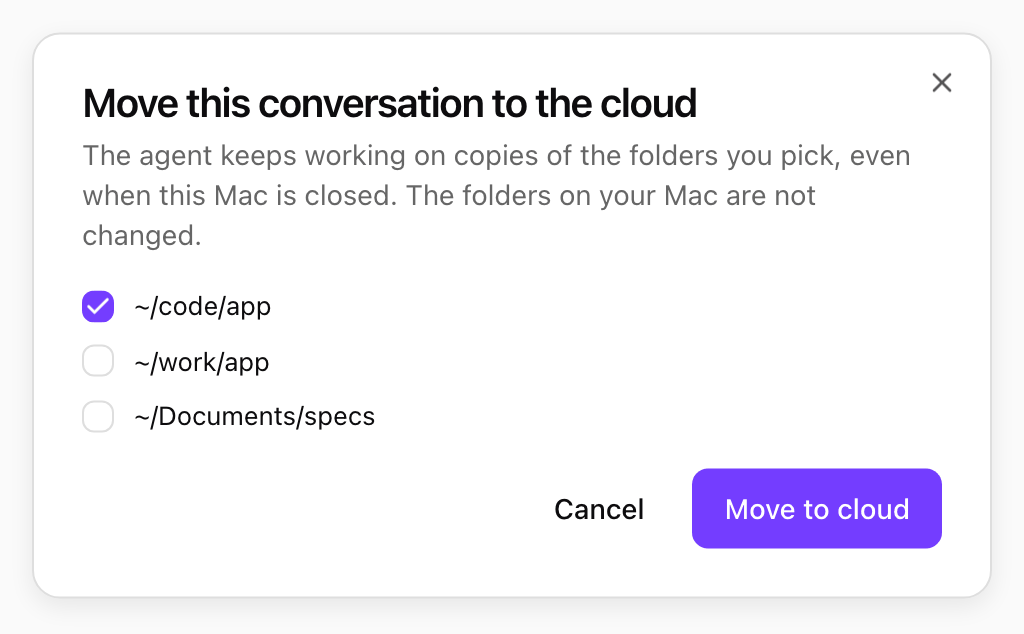
Choosing the folders to take to the cloud. Shown with sample data.
Bring it back
- Choose Bring back in the laptop strip. The app downloads the cloud copy, compares it with what it uploaded, and lists every change:
- Apply: changed only in the cloud. It is updated on your Mac.
- New: created in the cloud.
- Conflict: changed in both places. Choose Keep mine, Take the cloud version or Keep both (the cloud version is saved next to yours, for example
README.cloud.md). - Deleted in the cloud: listed only. Nothing on your Mac is deleted.
- Open any file to see what changed, then choose Apply changes. The conversation runs on your Mac again.
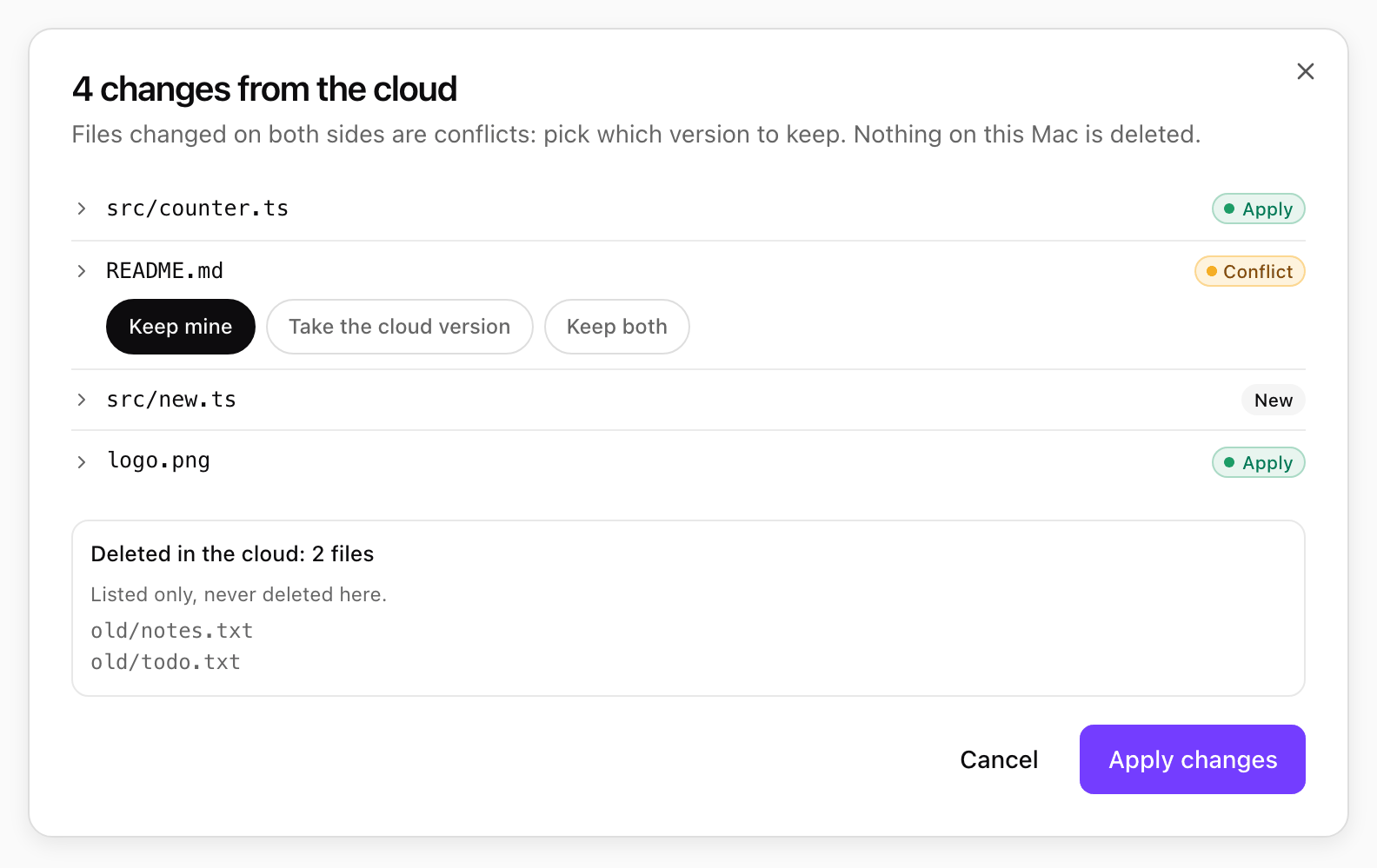
Changes from the cloud, with a conflict to settle. Shown with sample data.