

Agents cannot delete a file through a trusted folder. A file saved under a name already taken is saved beside it, for example
report (2).md, unless the agent was asked to replace it.
Add a folder
Add, change or stop trusting a folder in Settings > Trusted folders (Add folder), or from the folder chip in the composer’s laptop strip (Trust a folder while none is trusted). Read and write asks you to confirm: Let agents change files?, then Allow changes. Stopping only removes the folder from the list. Nothing on disk changes.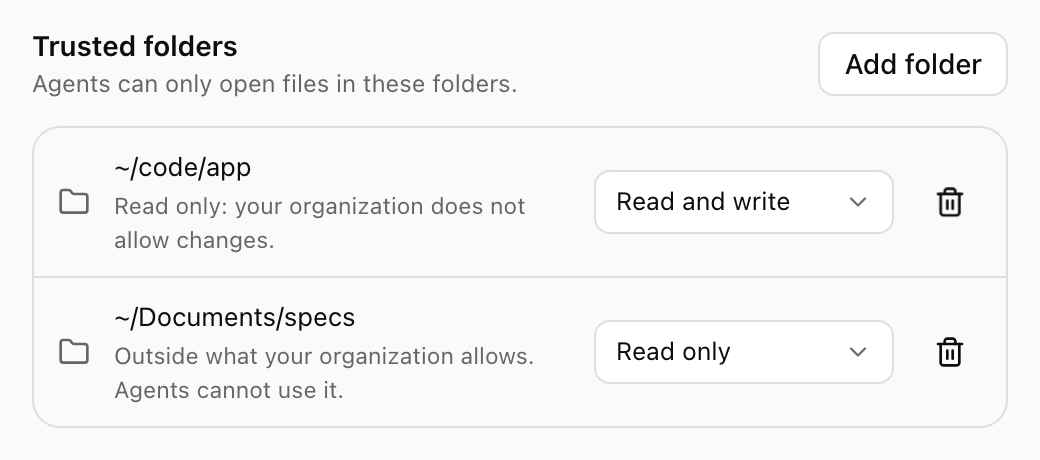
Trusted folders in Settings, with notes where your organization's policy narrows them. Shown with sample data.
The folder for new files
With more than one Read and write folder, one is the Default for new files: where an agent saves a file without a full path, and where files from the cloud land. Change it with Make default for new files in the composer’s folder list. Files an agent leaves only in its cloud workspace are saved into this folder for you, never replacing existing files. To review them first, turn off Save new files to this Mac automatically in Settings > Notifications. The conversation then offers Save to the folder, or Choose a folder.
Files an agent left in the cloud, ready to save to your Mac. Shown with sample data.
When an agent asks for a folder
An agent that needs an untrusted folder asks during the task: Allow access to a folder?, with the folder, its reason, and a note when the folder is outside what your organization allows or only reading is allowed. Choose Read only, Read and write or Not now.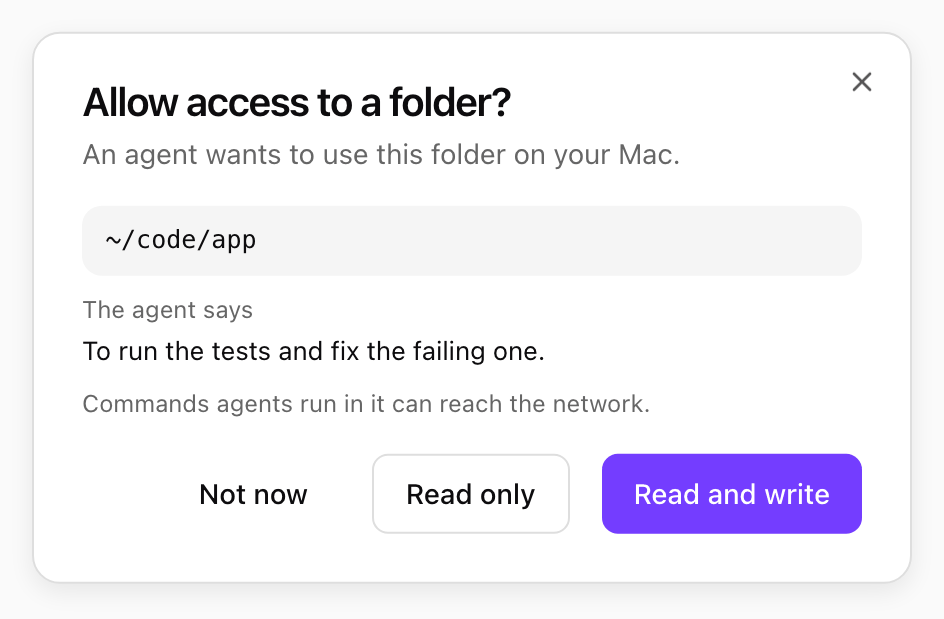
An agent asking for a folder, with its reason. Shown with sample data.
What your organization’s policy changes
Your organization’s Desktop policy and your own Files switch in Settings limit every trusted folder:- Files off: agents cannot use files on this computer.
- Read only: every folder is read only, and a read-and-write folder reads Read only: your organization does not allow changes.
- Folder rules: only certain folders allowed. Others read Outside what your organization allows and agents cannot use them.