

Who may do what
Platform > Organization > Members & groups gives each member a role and puts members in groups with shared defaults.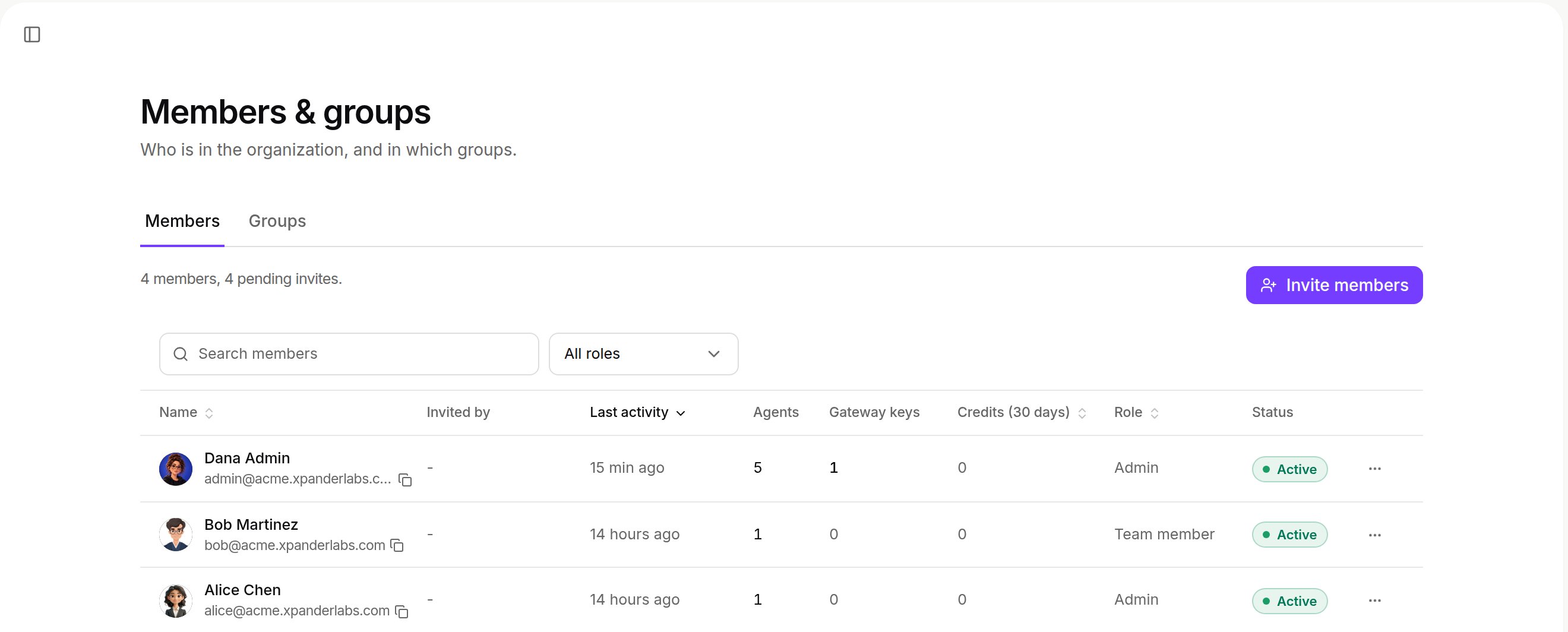
Platform > Organization > Members & groups. Shown with sample data.
Sign-in
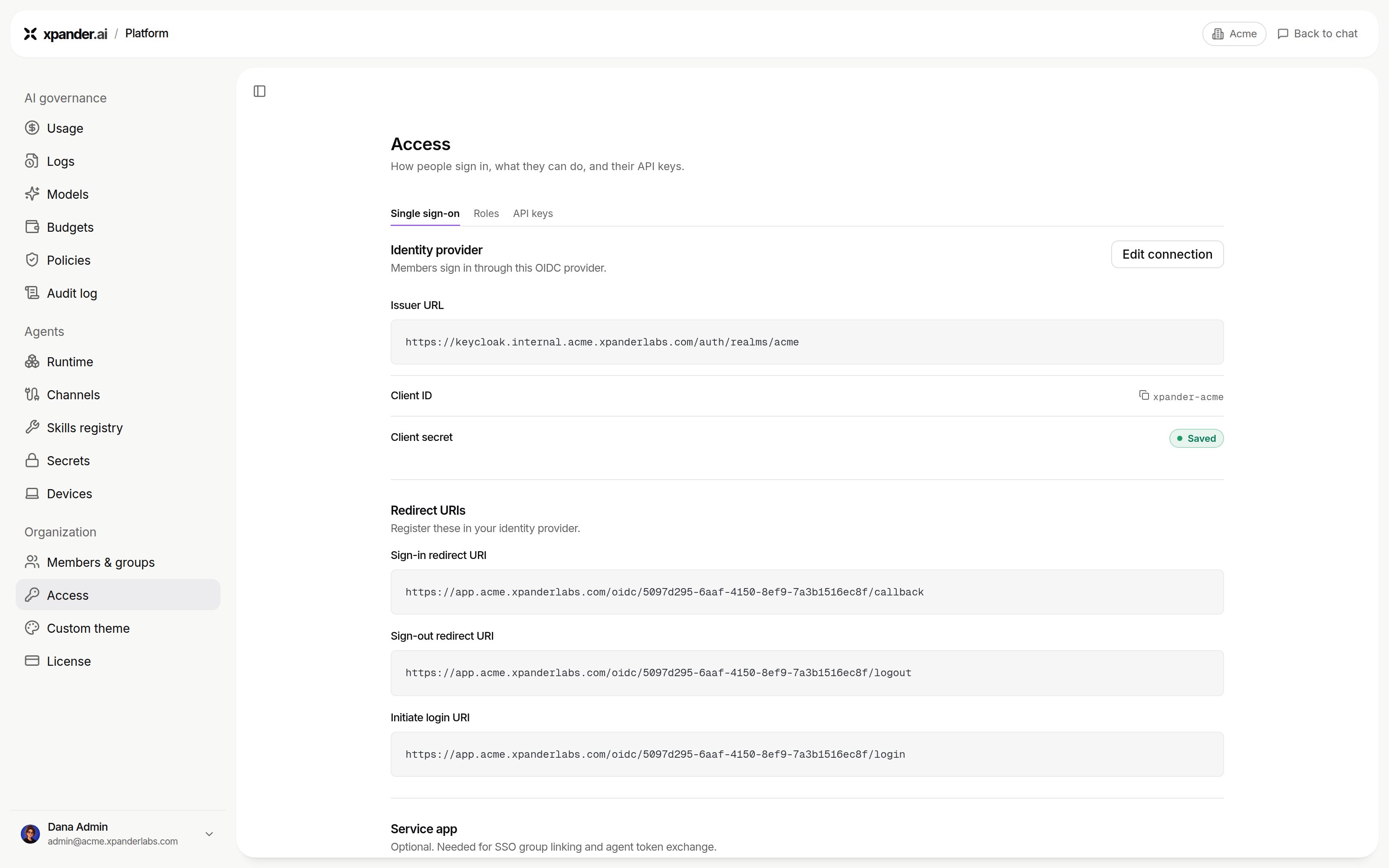
Platform > Organization > Access > Single sign-on. Shown with sample data.
Skills: what an agent may reach
Admins decide which skills exist and how each connects. Add skill on an agent offers only those. Adding a skill to an agent needs no approval. Admins can set any skill to Off, which removes it from every agent and refuses its calls. Skills served over MCP follow the same rule.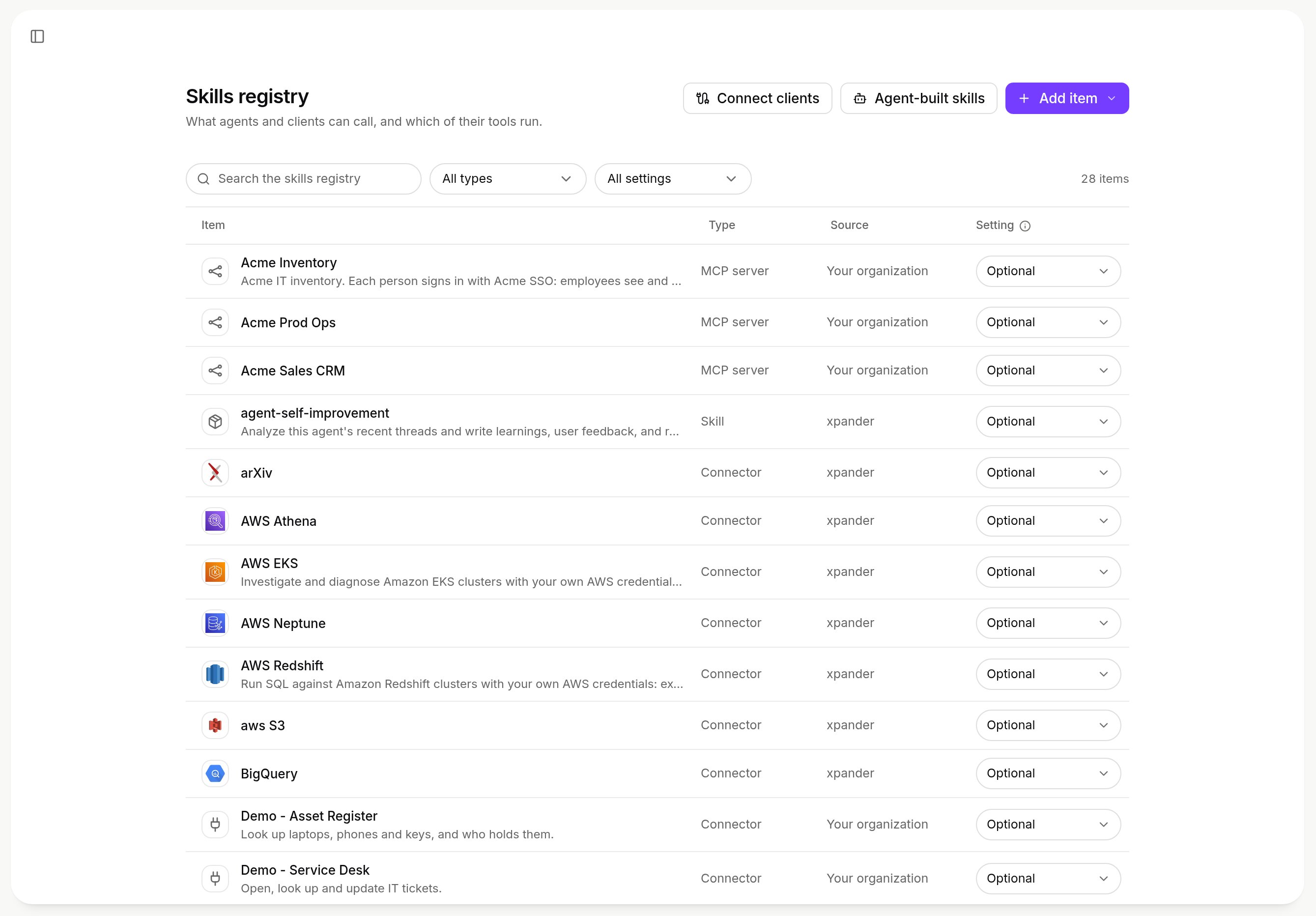
Platform > Agents > Skills registry: what agents and clients can call, each item's type, source and setting. Shown with sample data.
Approvals: risky actions wait for a named person
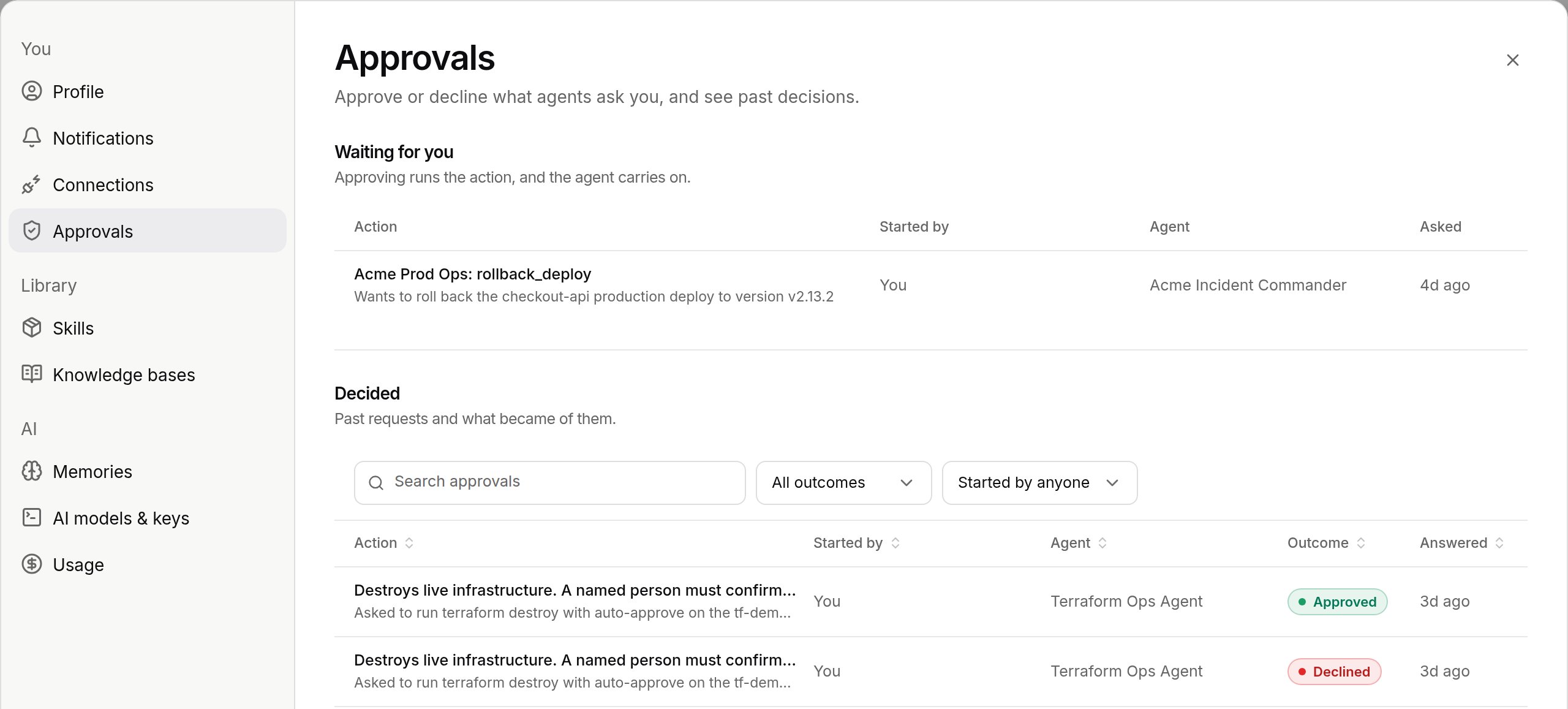
Settings > Approvals: Waiting for you and Decided. Shown with sample data.
Credentials: the agent never holds a secret
Platform > Agents > Secrets stores every credential encrypted. Agents reference a secret, and the value is injected at the moment of use, never in the prompt, files or record. An external vault (Azure Key Vault today) can be the source. Model provider keys live under Platform > AI governance > Models and follow the same rule.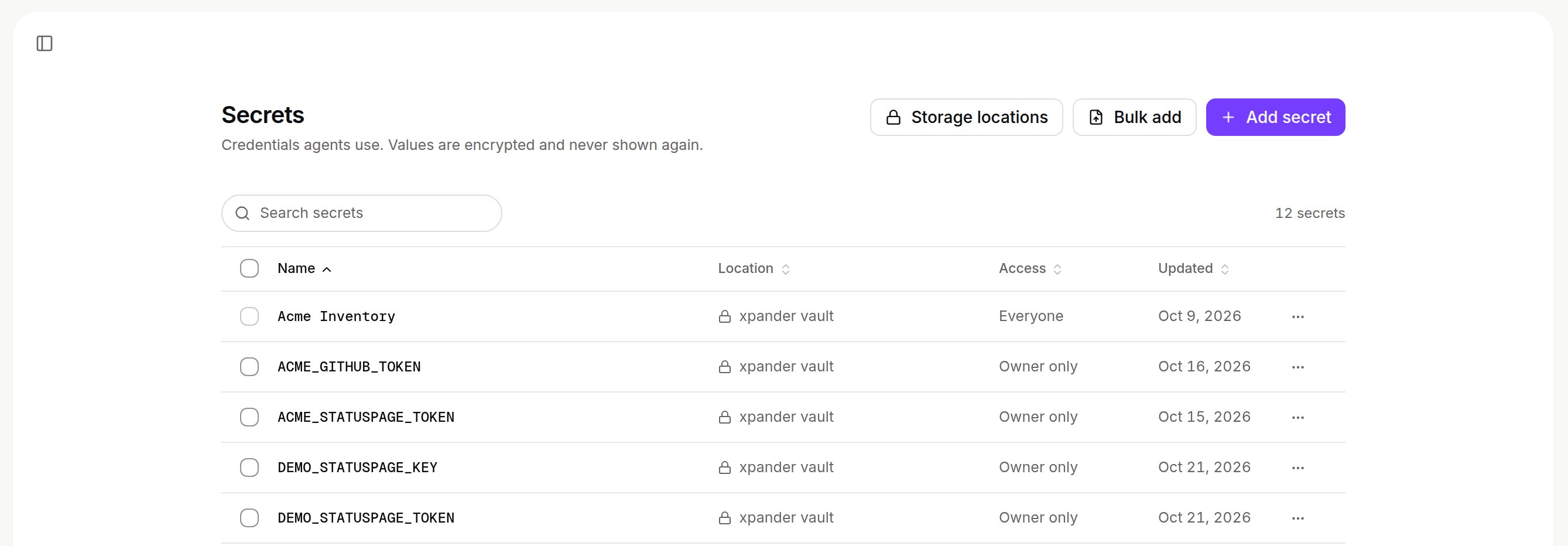
Platform > Agents > Secrets: names, location and access; values are never shown. Shown with sample data.
Models
Every model call goes through the LLM Gateway. Agents reach only the providers and models you configure in Platform > AI governance > Models, which shows the gateway’s Base URL, each provider’s key status (Connected or Needs a key) and who may use each model. A call to a provider with no key is refused with a message naming it. Every call is logged in Platform > AI governance > Logs.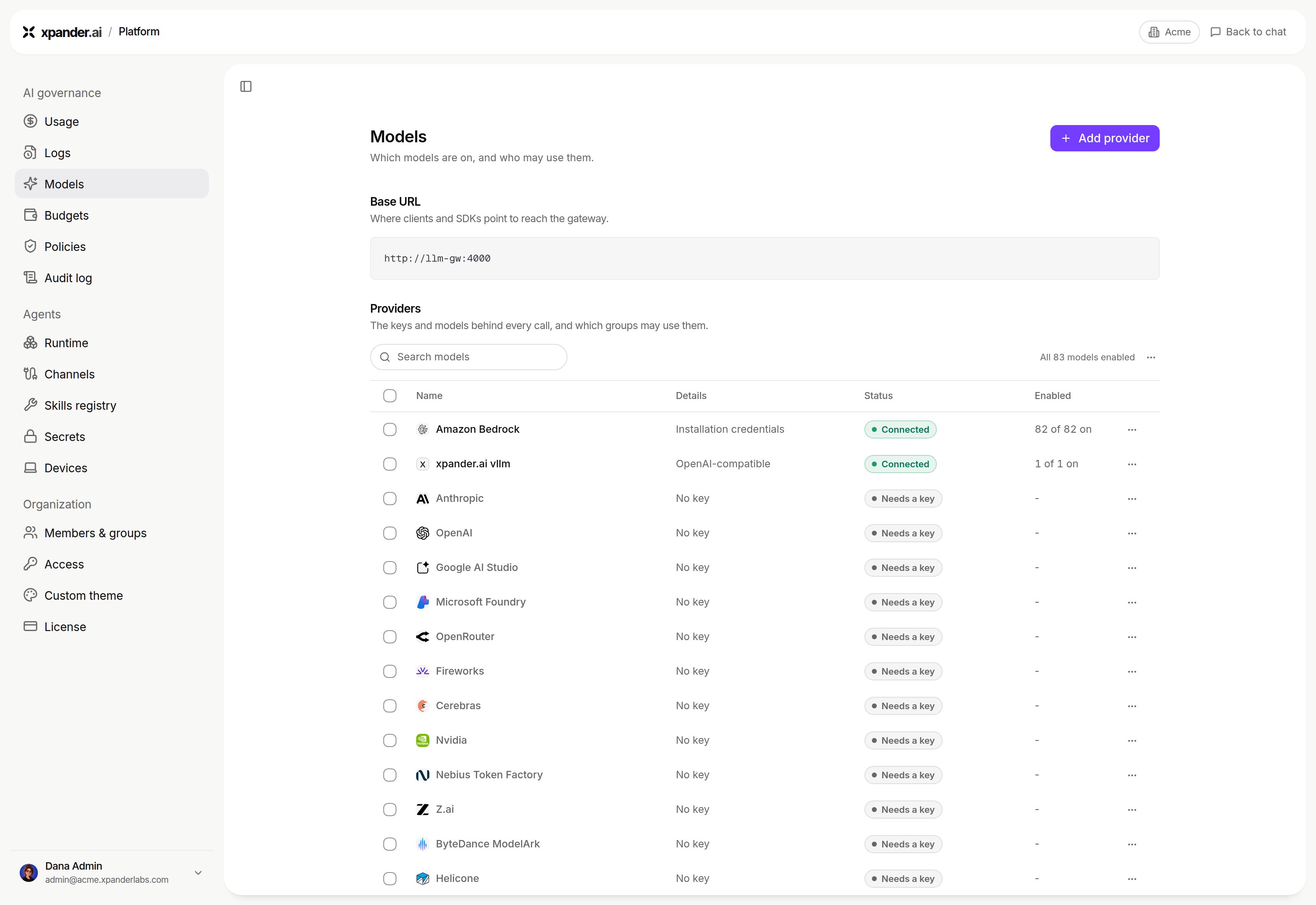
Platform > AI governance > Models: the Base URL and each provider's key status. Shown on an Air-Gapped install, where the Base URL is http://llm-gw:4000. On a Hybrid install with the release name `xpander`, it is http://xpander-llm-gw:4000. Shown with sample data.
Budgets
Set limits in Platform > AI governance > Budgets for the organization, groups, members, API keys and agents (Budgets). See spend in Platform > AI governance > Usage. A call that would exceed a blocking budget is refused and says so.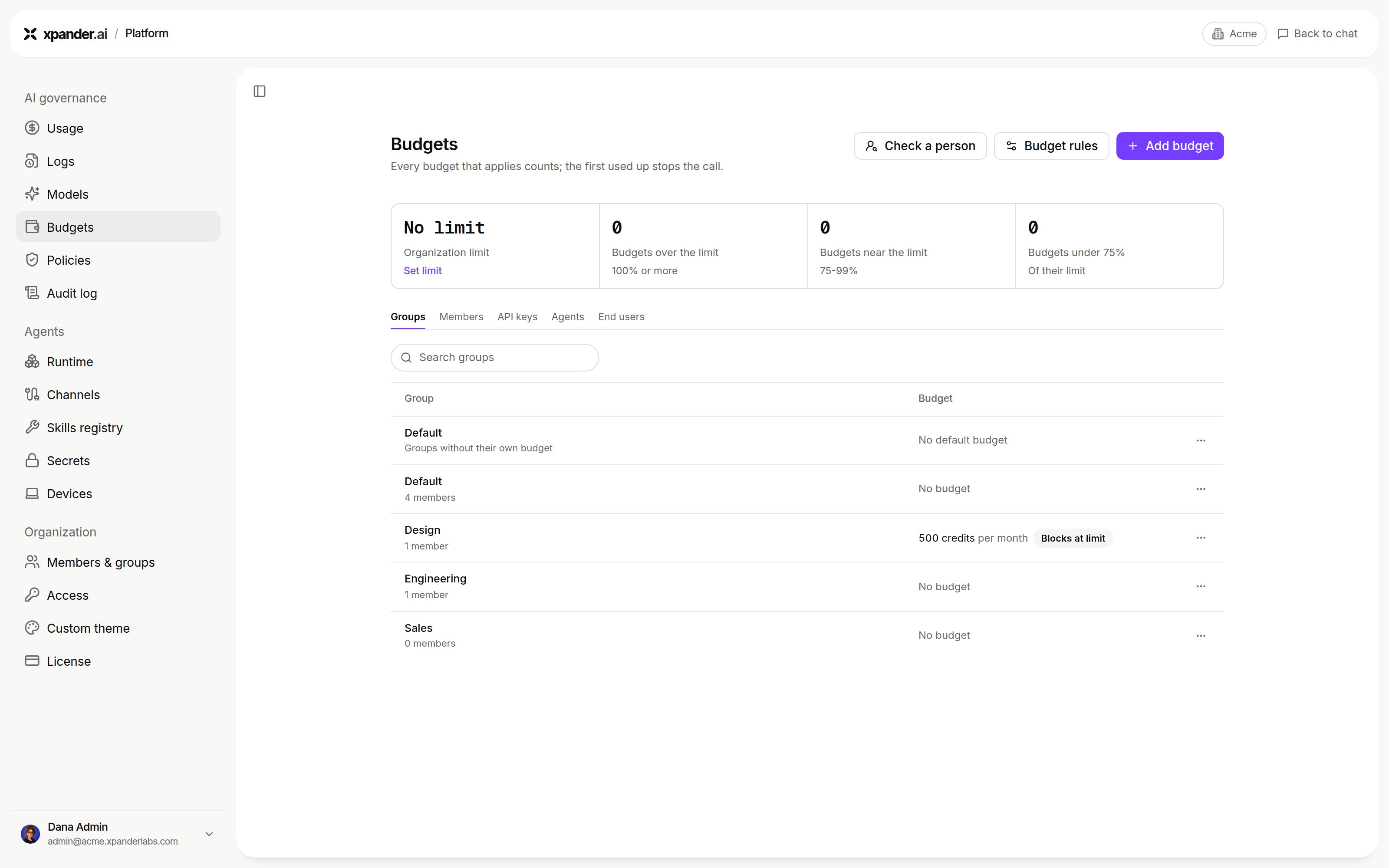
Platform > AI governance > Budgets: overview and spending limits by scope. Shown with sample data.
Access to agents and what leaves the workspace
Each agent is Private, a group, or Org-wide. Manage access names who may use it.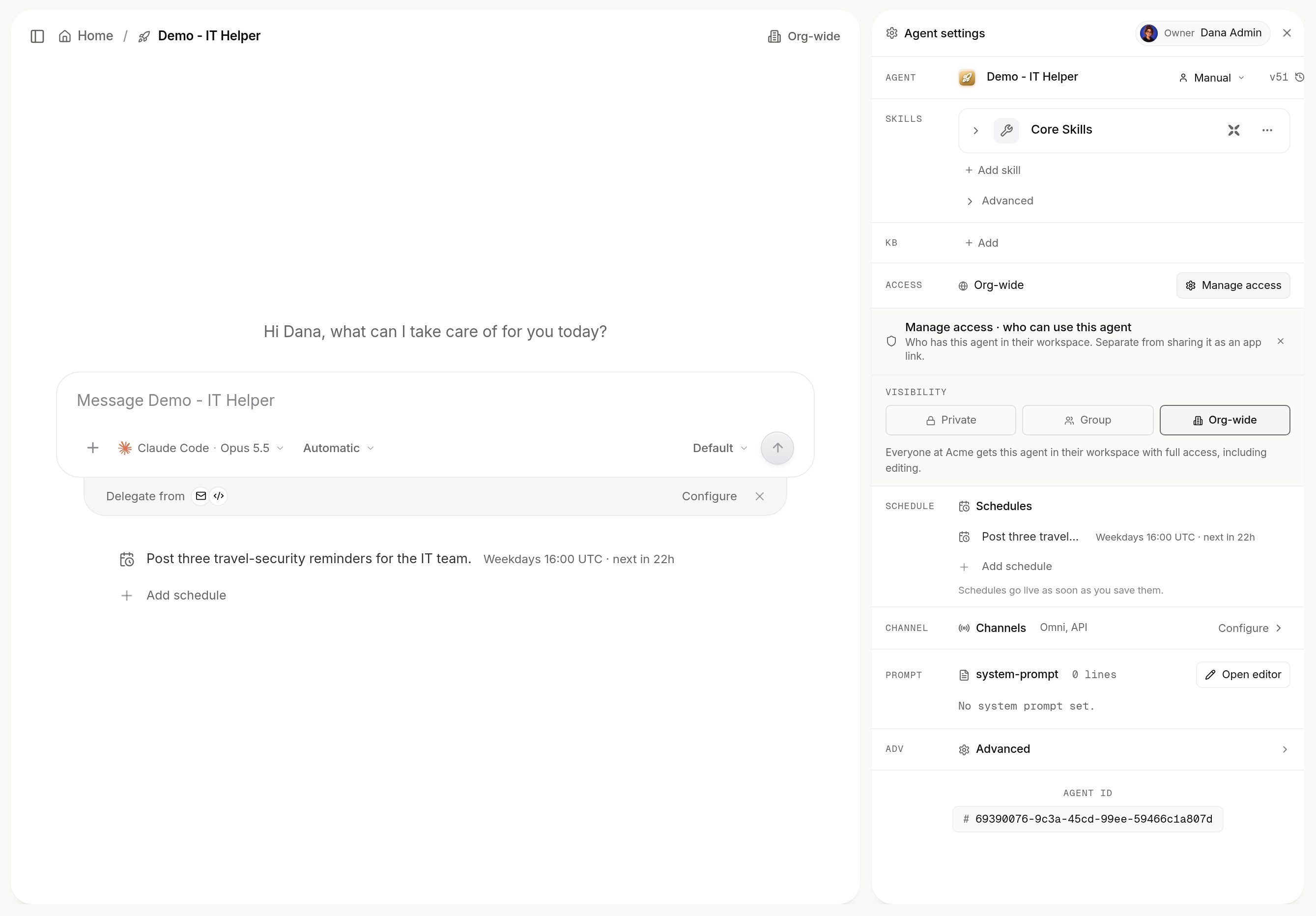
Manage access on an agent: private, a group, or the whole organization. Shown with sample data.