

Sign-in per deployment
Roles are Admin and Team member, and groups can follow the identity provider’s groups, both under Platform > Organization > Members & groups. See Govern every agent.
The OIDC client
Create a confidential OIDC client for xpander at the identity provider:
The OIDC settings in Platform > Organization > Access hold the issuer URL, exactly as it appears in the discovery document, including any context path. A Keycloak instance under
/auth uses https://idp.example.com/auth/realms/<realm>. It also holds the client ID and secret, and optional extra scopes. An optional API service app card adds a second client’s ID and secret, plus a generated Directory key. Directory reads and agent token exchange use this second app; Okta needs key-pair authentication on it. The page also has the agent pre-authentication switch.
The token and userinfo calls run from inside the cluster, so the IdP must be reachable from the pods, not only from the browser; an IP-restricted public entry point refuses them.
Group sync
Group membership from the IdP maps to xpander user groups through agroups claim. The recipe, for Keycloak:
- At the IdP, a client scope named
groupswith a Group Membership mapper (claimgroups, full path off, in userinfo), assigned to the xpander client as an optional scope. A mapper on the client alone is not enough: xpander requestsscope=groups, and Keycloak answerserror=invalid_scopewhen no client scope of that name exists. - Platform > Organization > Access, OIDC, Additional sign-in scopes: Add, type
groups, Save configuration. - After the next sign-in the values the IdP sent are known to xpander. Under Platform > Organization > Members & groups, open the group row’s menu (three dots) and choose Link SSO groups. The panel lists the values your identity provider has sent, takes one typed by hand under Add a group by name or ID (then Add to list), and saves with Save links. The row then shows an SSO badge.
- Members of the linked identity-provider groups join the xpander group at their next sign-in.
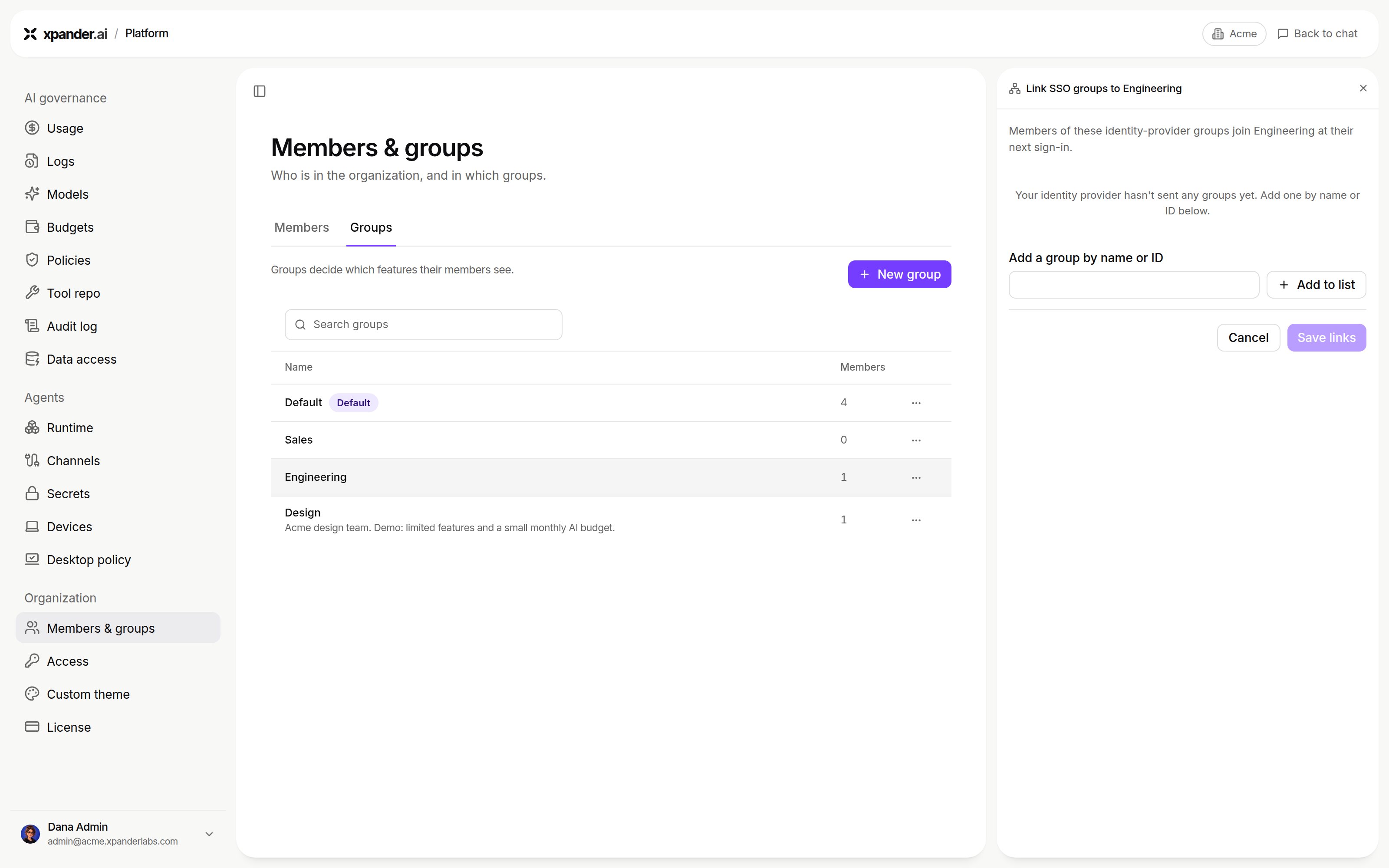
Link SSO groups, before the identity provider has sent any groups: add one by name or ID, then Save links. Shown with sample data.
/ signed out with no message; the error= parameter is on the callback request in the browser’s network log. The Keycloak screens, the preferred_username mapper and the failure table are on SSO with your identity provider.
Agent pre-authentication
Agent pre-authentication uses OIDC token exchange. At the moment of a call, xpander exchanges the asking person’s sign-in token for one scoped to the target system, so the agent acts with that person’s permissions where the outside system allows it. The IdP client needs token exchange enabled (Keycloak 26: the client attributestandard.token.exchange.enabled=true), direct access grants, an audience client for the target system, and a client scope with an audience mapper. In xpander, Platform > Organization > Access, OIDC, Agent pre-authentication holds the Enable agent pre-authentication switch, Audiences (one per target system) and Token exchange scopes. Save configuration applies them. Leave it off to start.
Air-Gapped chart values
preferred_username mapper, the failure table and the pods to read logs from are on SSO with your identity provider.