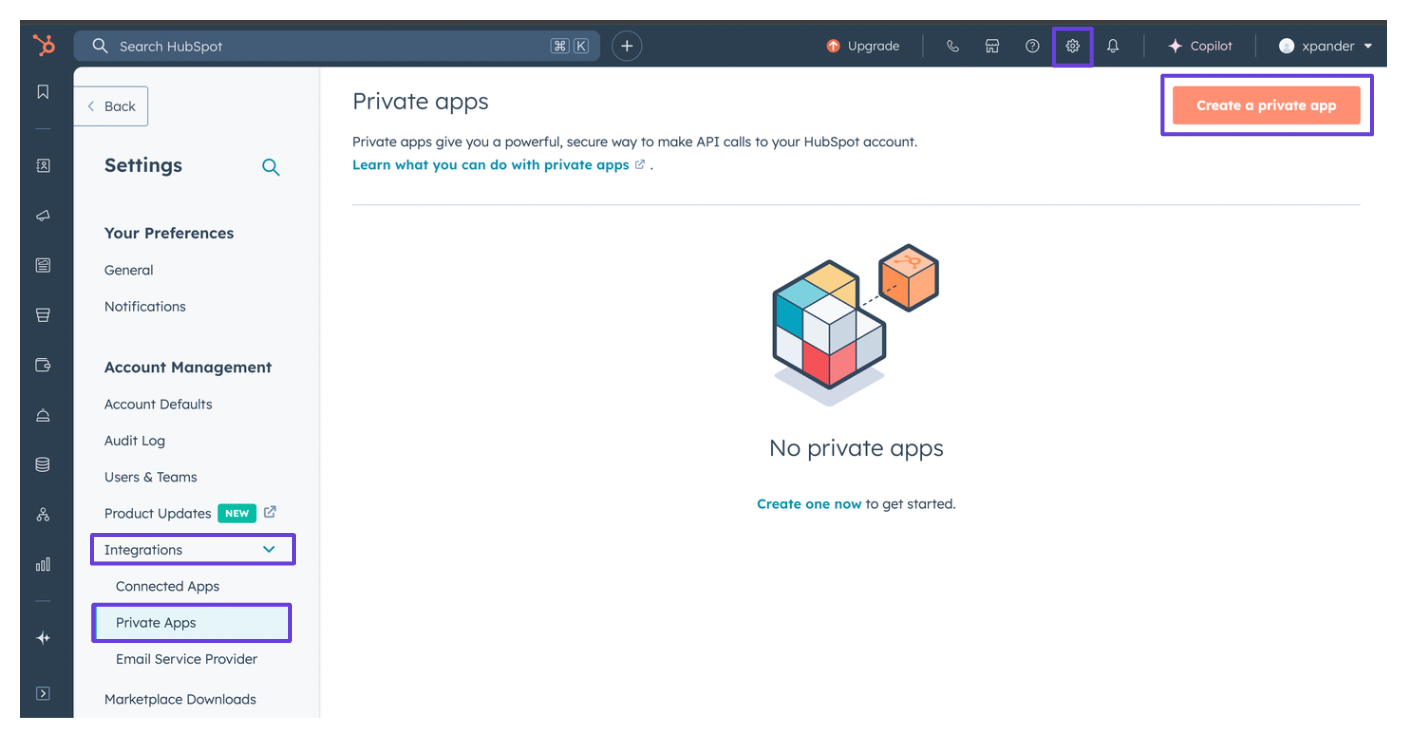
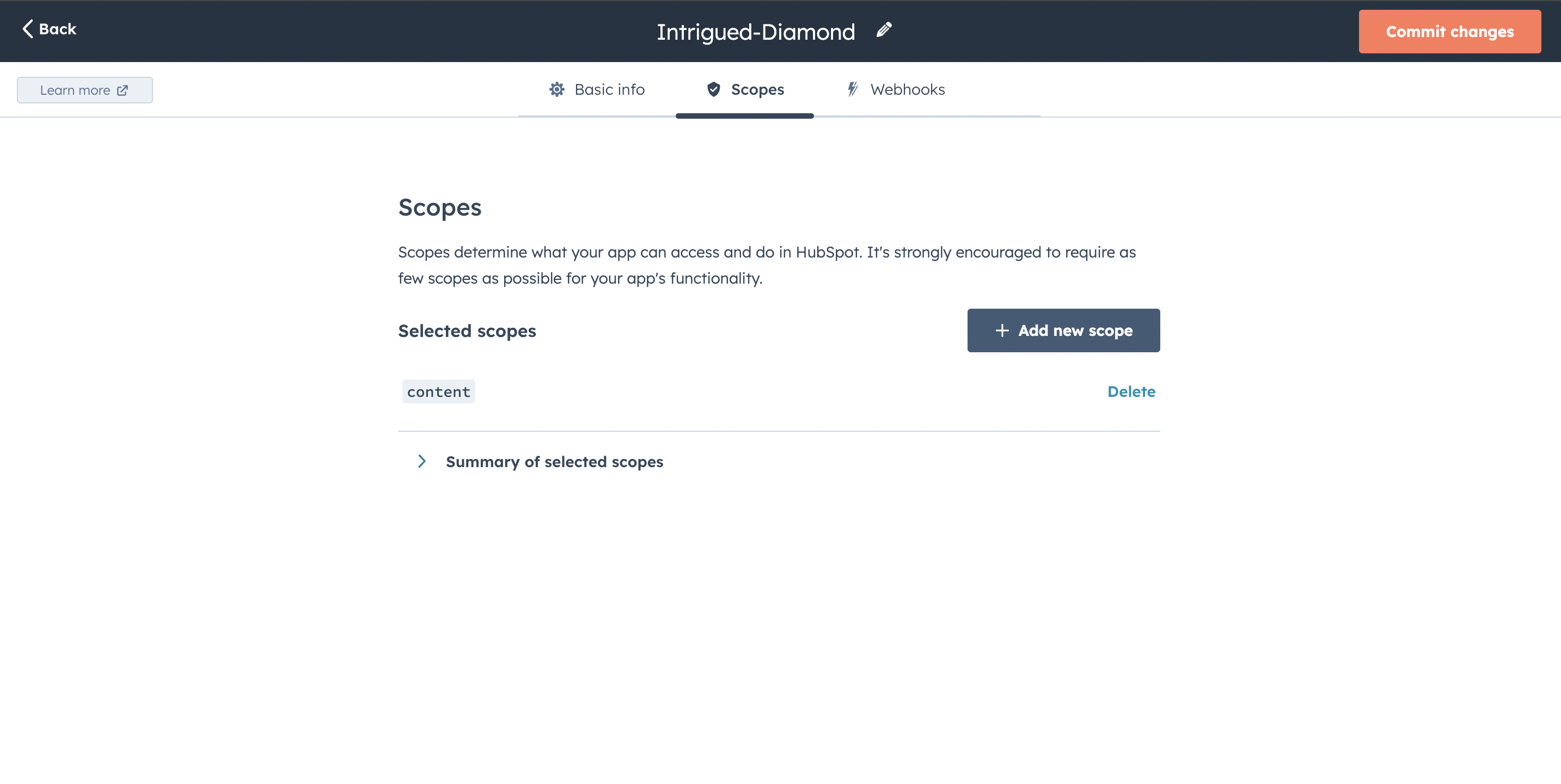
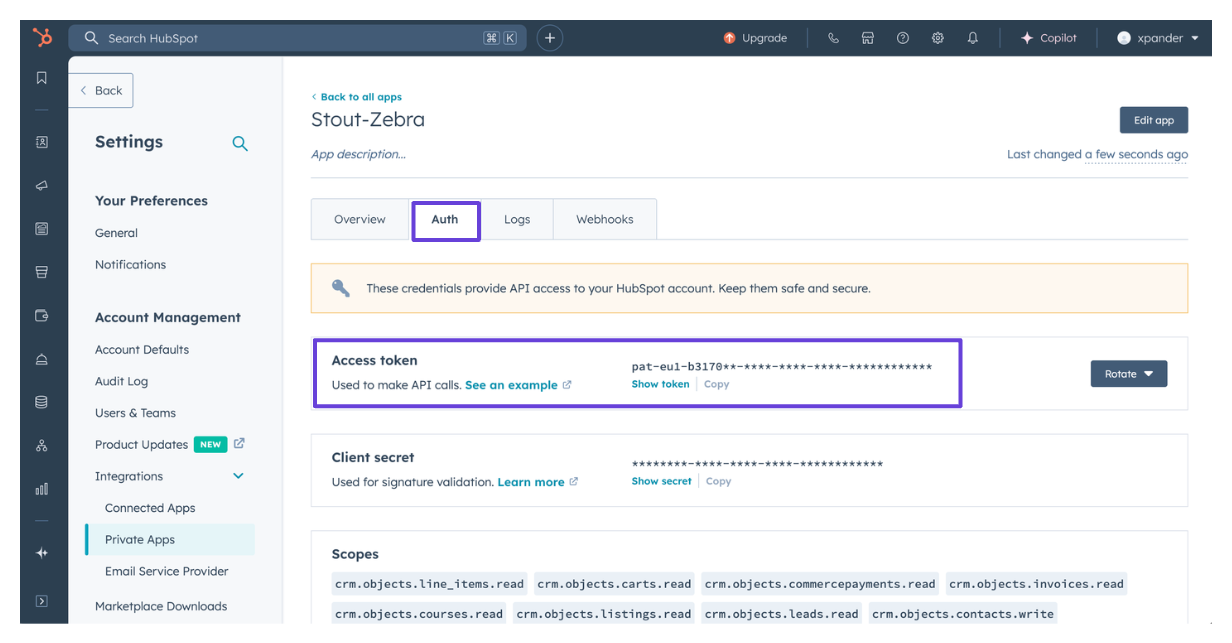
https://api.hubapi.com/cms/v3/blogs and carry an OAuth 2.0 token obtained with Sign in with HubSpot on the cloud edition, or an API key or custom header on a self-hosted installation, which offers no sign-in flow.
What the skill can do
API connector: 50 actions, as they appear in the skill panel. 41 of them create, change or delete something in HubSpot Blogs; mark those under These actions need approval when you add the skill to an agent.- Localization service (15): Blog Localization Attach Author To Language Group, Blog Localization Detach Author From Language Group, Blog Localization Update Author Languages, Blog Localization Attach Post To Language Group, Blog Localization Create Language Variation Of Author, Blog Localization Set Author As Primary Language, Blog Localization Create Language Variation Of Post, Blog Localization Set Post As Primary Language, Blog Localization Attach Tag To Language Group, Blog Localization Detach Post From Language Group, Blog Localization Update Post Languages, Blog Localization Detach Tag From Language Group, Blog Localization Create Language Variation Of Tag, Blog Localization Set Tag As Primary Language, and 1 more
- Tag management (9): Blog Tag Management Create New Blog Tag, Blog Tag Management Retrieve Multiple Blog Tags, Blog Tag Management Retrieve Paginated List Of Tags, Blog Tag Management Delete Multiple Blog Tags, Blog Tag Management Create Multiple Blog Tags, Blog Tag Management Update Multiple Blog Tags, Blog Tag Management Update Tag By Id, Blog Tag Management Delete Tag By Id, Blog Tag Management Retrieve Tag By Id
- Post management (8): Blog Post Management Create New Blog Post, Blog Post Management Create Multiple Blog Posts, Blog Post Management Retrieve Multiple Blog Posts, Blog Post Management Clone Blog Post, Blog Post Management Delete Multiple Blog Posts, Blog Post Management Update Multiple Blog Posts, Blog Post Management Delete Post By Id, Blog Post Management Update Post By Id
- Author management (7): Blog Author Management Retrieve Author By Id, Blog Author Management Retrieve Paginated List Of Authors, Blog Author Management Update Multiple Blog Authors, Blog Author Management Create New Blog Author, Blog Author Management Delete Multiple Blog Authors, Blog Author Management Create Multiple Blog Authors, Blog Author Management Retrieve Multiple Blog Authors
- Draft management (5): Blog Post Management Retrieve Post By Id, Blog Draft Management Retrieve Draft Version Of Post, Blog Draft Management Update Draft Version Of Post, Blog Draft Management Publish Draft Version Of Post, Blog Draft Management Reset Draft Version Of Post
- Revision system (4): Blog Revision Management Retrieve Specific Revision Of Post, Blog Revision Management Restore Revision As Current Live, Blog Revision Management Retrieve All Revisions Of Post, Blog Revision Management Restore Revision As New Draft
- Scheduling service (2): Blog Post Management Retrieve Paginated List Of Posts, Blog Scheduling Schedule Post For Publishing
Give an agent the HubSpot skill
Once HubSpot is connected, any agent you can edit may be given the skill: open the agent’s settings, click Add skill, and choose HubSpot. Enable only the action groups the agent needs, and mark the actions that should wait for a named person’s sign-off under These actions need approval. Which skills exist for your organization, and who may add them, is decided by your admins; see Skills.Related Resources
HubSpot Blogs: connect and authenticate
Authentication Options
- Built-in xpander Auth
- API Access
The simplest way to connect HubSpot Blogs is by using xpander’s built-in authentication:
- In Xpander Chat, open the agent’s settings and click Add skill.
- Search for HubSpot Blogs and select it.
- Click Sign in with HubSpot Blogs.
- Choose the account you want to connect and grant xpander permission to access it.
- HubSpot Blogs is now ready to use.